
The Highlight feature in Advanced Link Manager is designed to help you quickly identify the most important details inside the linked issues table.
Whether you want to focus on your own work, critical priorities, or recent updates, this feature provides visual cues that make navigation faster, smarter, and more intuitive.🌟
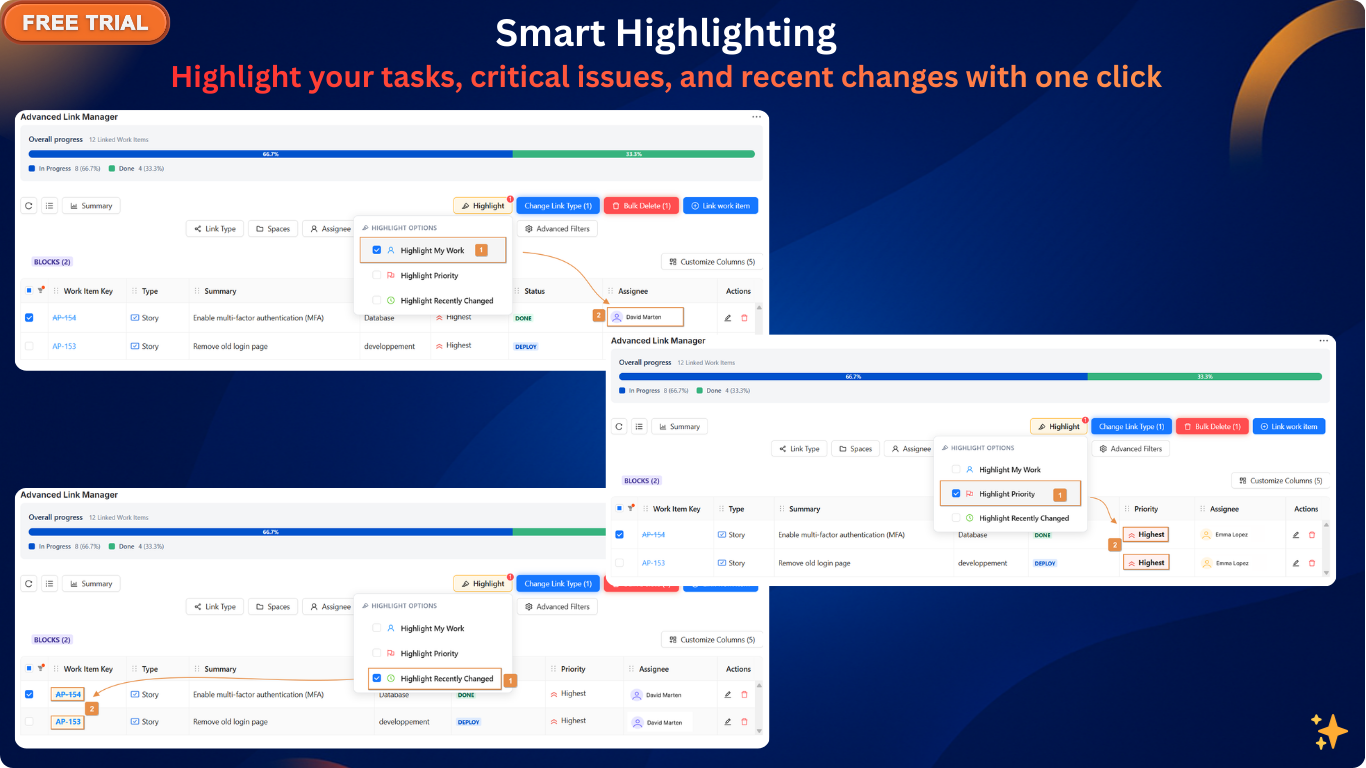
Highlight Options
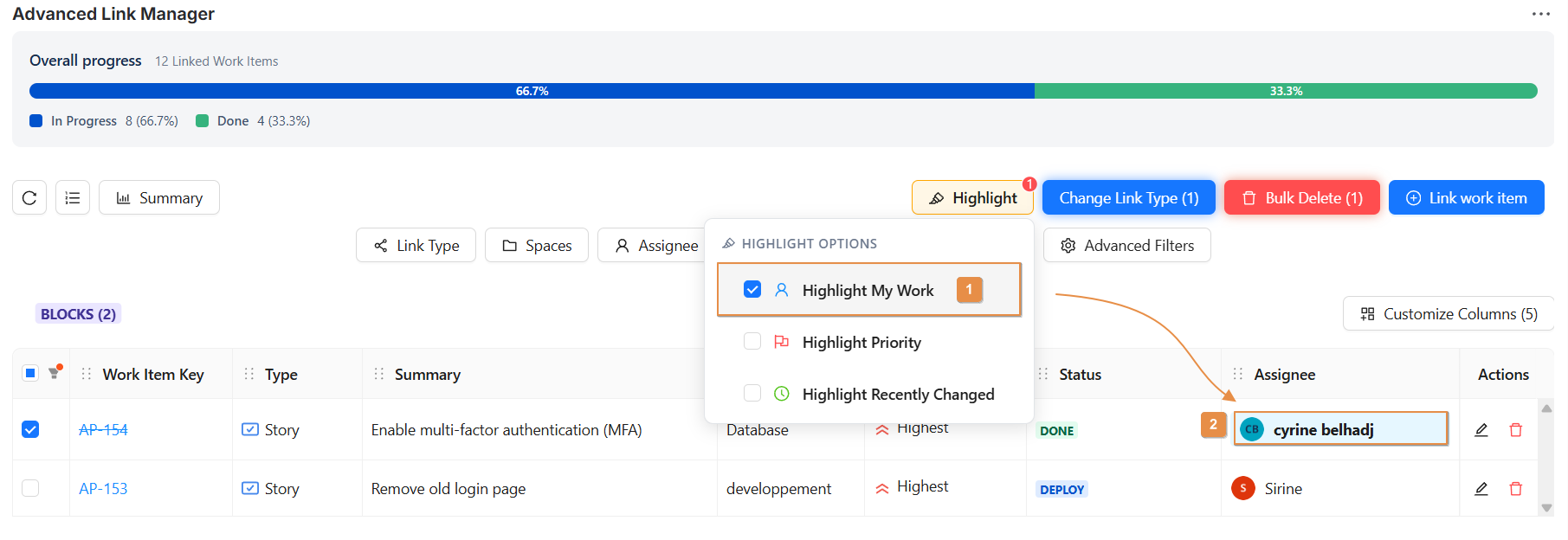
🔵 1. Highlight My Work
This option helps you quickly find all the issues assigned to you.
-
The Assignee column for the currently logged-in user is highlighted in blue.
-
Your name will visually stand out across the entire table, making it easy to track your workload.
🔴 2. Highlight Priority
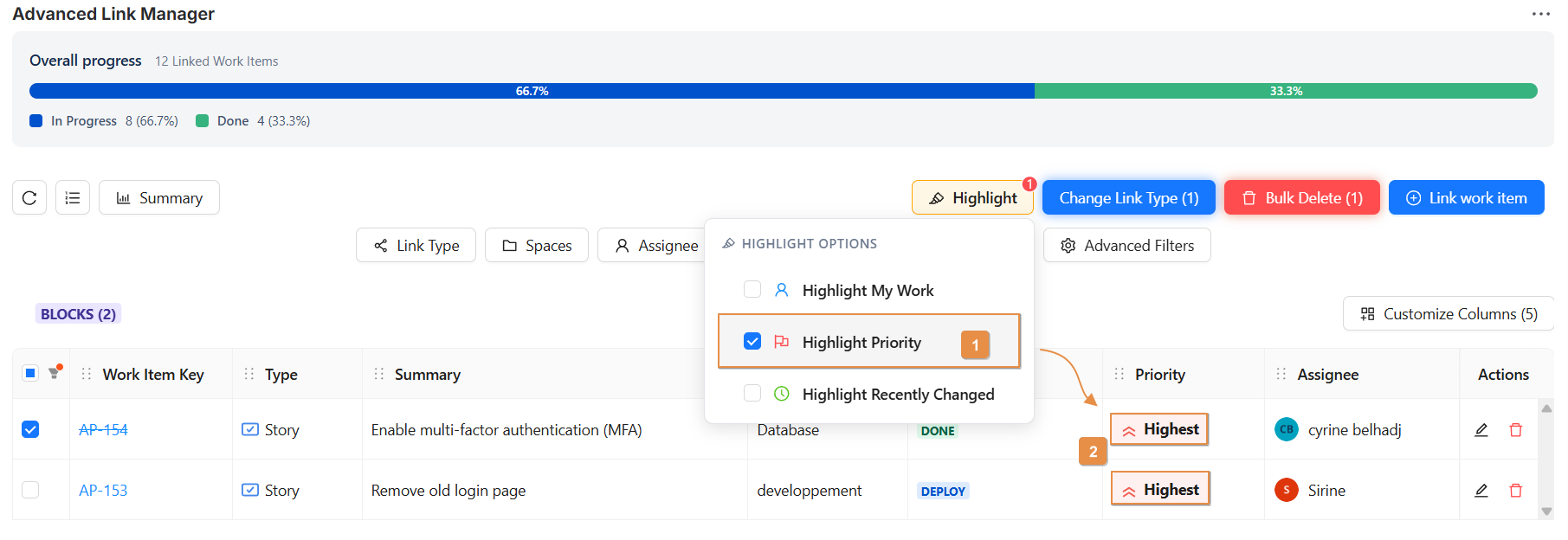
Use this option to immediately spot the most urgent items.
-
Issues with Highest priority are highlighted in the Priority column using a red indicator.
-
This ensures that critical issues catch your eye instantly, helping you organise work according to urgency.
🟡 3. Highlight Recently Changed
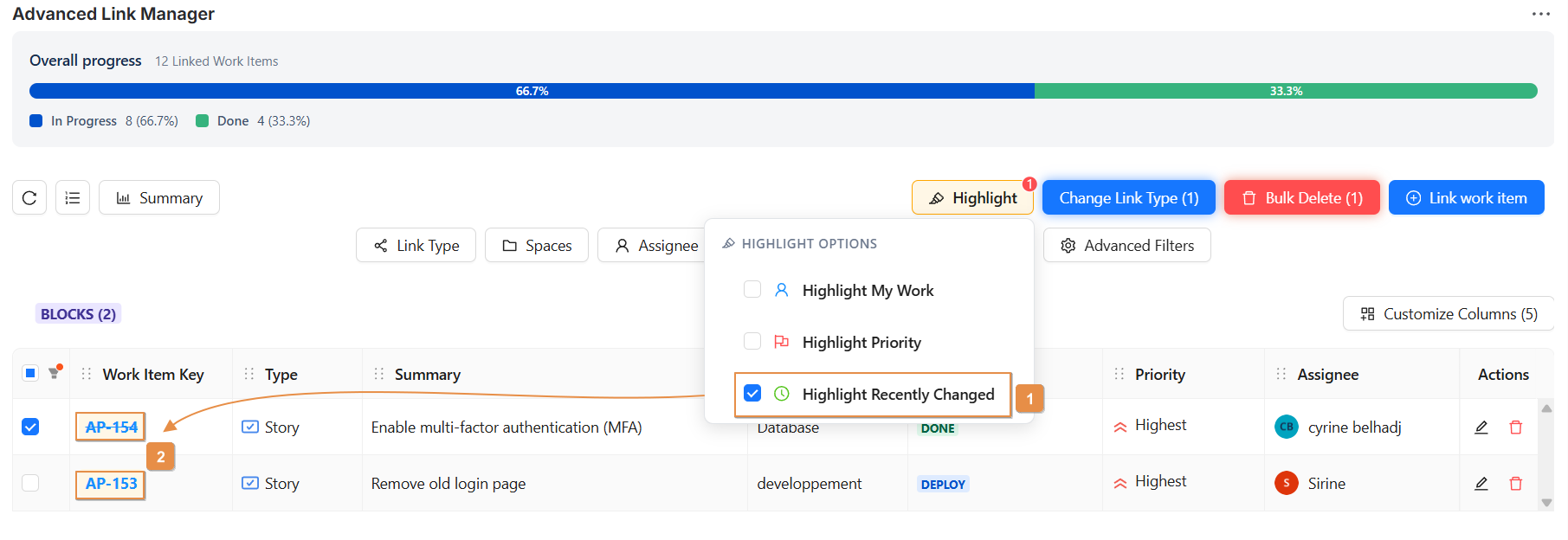
This option tells you which issues were updated recently.
-
The Key column of these issues is highlighted in yellow.
-
Perfect for monitoring the latest activity, tracking changes, or reviewing updates made by the team.
Conclusion
The Highlight feature is a simple yet powerful tool that enhances visibility and improves productivity.
By visually emphasising your assigned tasks, highest-priority issues, and recent changes, it allows you to focus on what truly matters without searching or scrolling endlessly.