
Atlassway Agent is an AI-powered assistant built into Advanced Link Manager for Jira. It helps you understand, investigate, and manage Jira work-item links using natural language.
Instead of manually checking linked work items, link types, and missing or incorrect relationships, you can simply ask the Agent what you need to know.
Accessing Atlassway Agent
To get started:
-
Open Jira.
-
Open Advanced Link Manager for Jira .
-
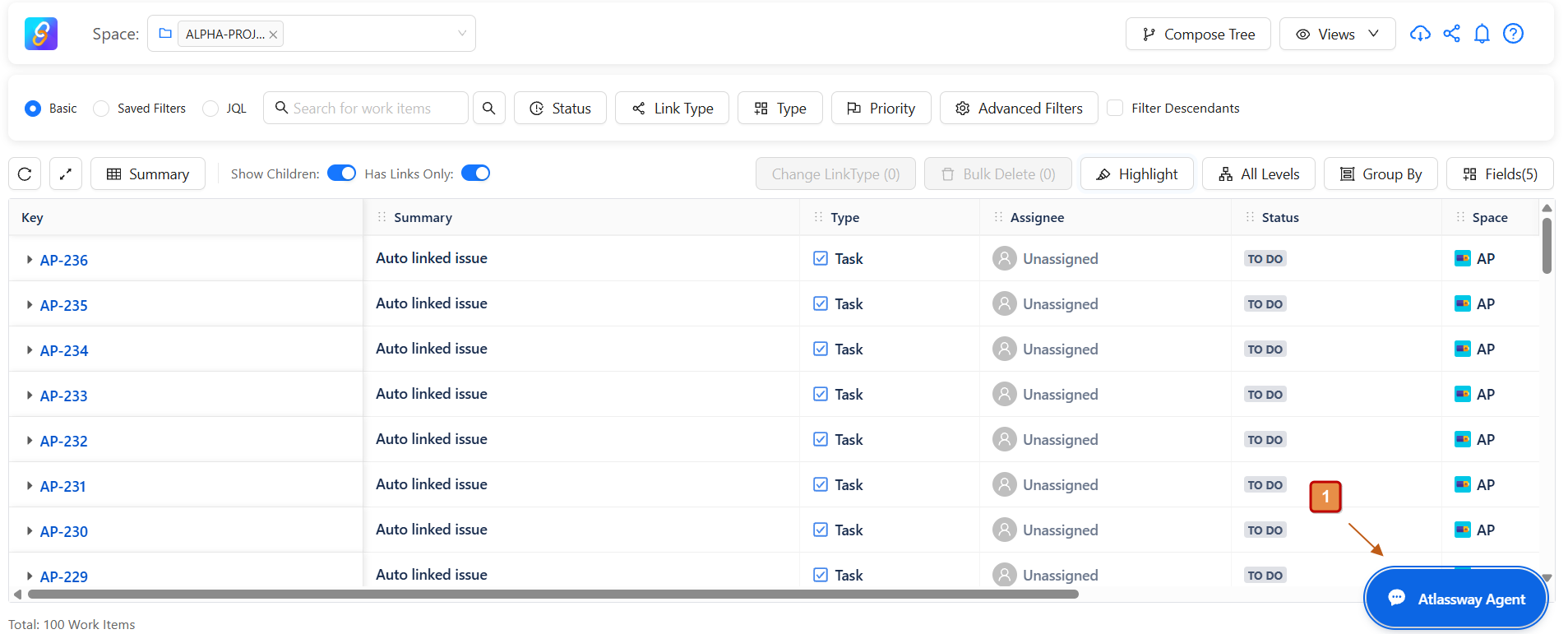
Navigate to Atlassway Agent.
-
The Atlassway Agent home page opens.
The Agent provides an immediate overview of the links in your selected project, helping you quickly understand how work items are connected.
Links at a Glance
When you open Atlassway Agent, you get a summary of the project's link activity.
The overview includes key link indicators:
-
Most linked: Displays the work item with the highest number of links.
-
Most used relation: Shows the link type used most frequently across the project.
-
No links yet: Shows the number of work items that currently have no links.
-
Cross-project: Displays the number of links connecting work items from different projects.
-
Blocked right now: Shows work items that are currently blocked by another work item.
-
Total links: Provides an overall view of the number of links and linked work items.
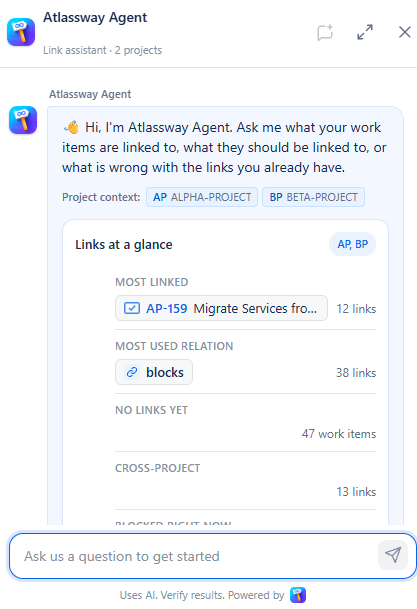
This gives you a quick understanding of your project's link structure without having to manually inspect individual work items.
Ask Atlassway Agent
-
The main feature of Atlassway Agent is its AI-powered question-and-answer experience.
-
You can ask questions about your Jira links using natural language. You don't need to know JQL or specific commands.
For example:
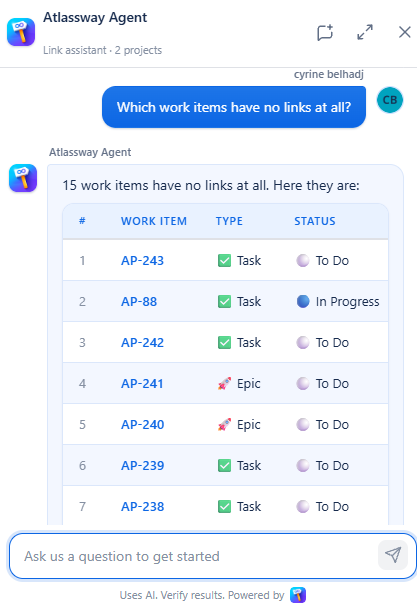
Which work items have no links at all?
The Agent analyzes the available link information and identifies the work items that have no links.
Project-Based AI Analysis
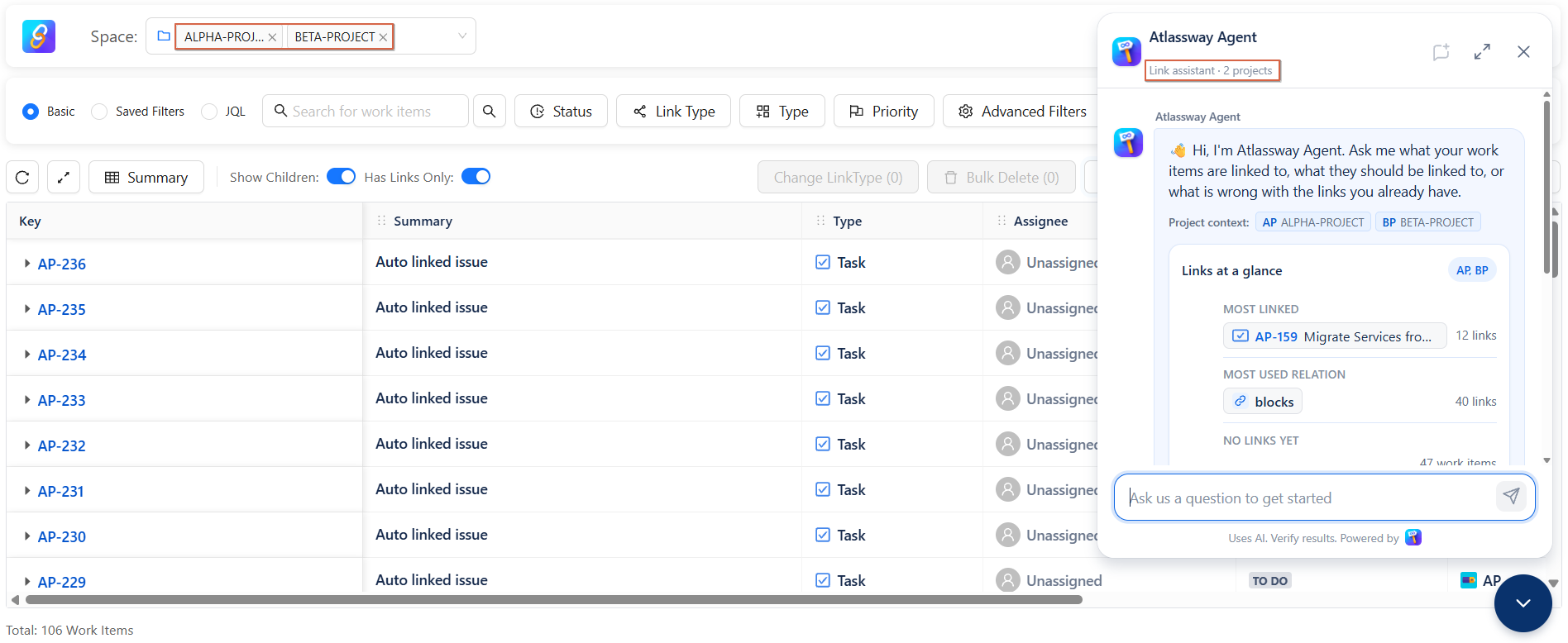
Atlassway Agent’s responses are based on the project(s) you select.
Select one or multiple projects to focus the AI analysis on the relevant work item links.
Tips for Asking Effective Questions
Be Specific
Instead of:
Show me links.
Try:
Which work items have the most links in this project?
“Mention the Link Information You Need”
Specify what you want to investigate, such as:
-
Linked work items
-
Missing links
-
Link types
-
Blocked work items
-
Cross-project links
-
Incorrect links
Use Natural Language
You don't need to use Jira-specific syntax. Simply ask your question as you would ask a colleague.
For example:
What is this work item related to?
The Agent can analyze the relevant link information and provide an answer.
Key Benefits
Faster Link Analysis: Quickly understand how work items are connected without manually checking individual issues.
AI-Powered Link Insights: Let Atlassway Agent analyze link relationships and help identify relevant information.
Natural-Language Questions: Ask questions about your links without writing complex JQL queries.
Instant Link Overview: Get a quick summary of the most important link information as soon as you open the Agent.
Easier Link Auditing: Identify missing, unexpected, blocked, or cross-project links more efficiently.
Save Time: Reduce the time spent manually investigating Jira relationships and focus on resolving link issues.
Conclusion
-
Atlassway Agent brings a conversational AI experience to Jira link management. By turning complex link relationships into simple natural-language questions, it makes it easier to understand what your work items are linked to, what they should be linked to, and what may be wrong with those links.