
Once Advanced Work Item Templates for Jira is installed, you're ready to go no additional setup or configuration is required.
Out of the box, the app includes three default templates covering the most common work item types. You can use them as they are, customize them to match your needs, or create new templates from scratch.
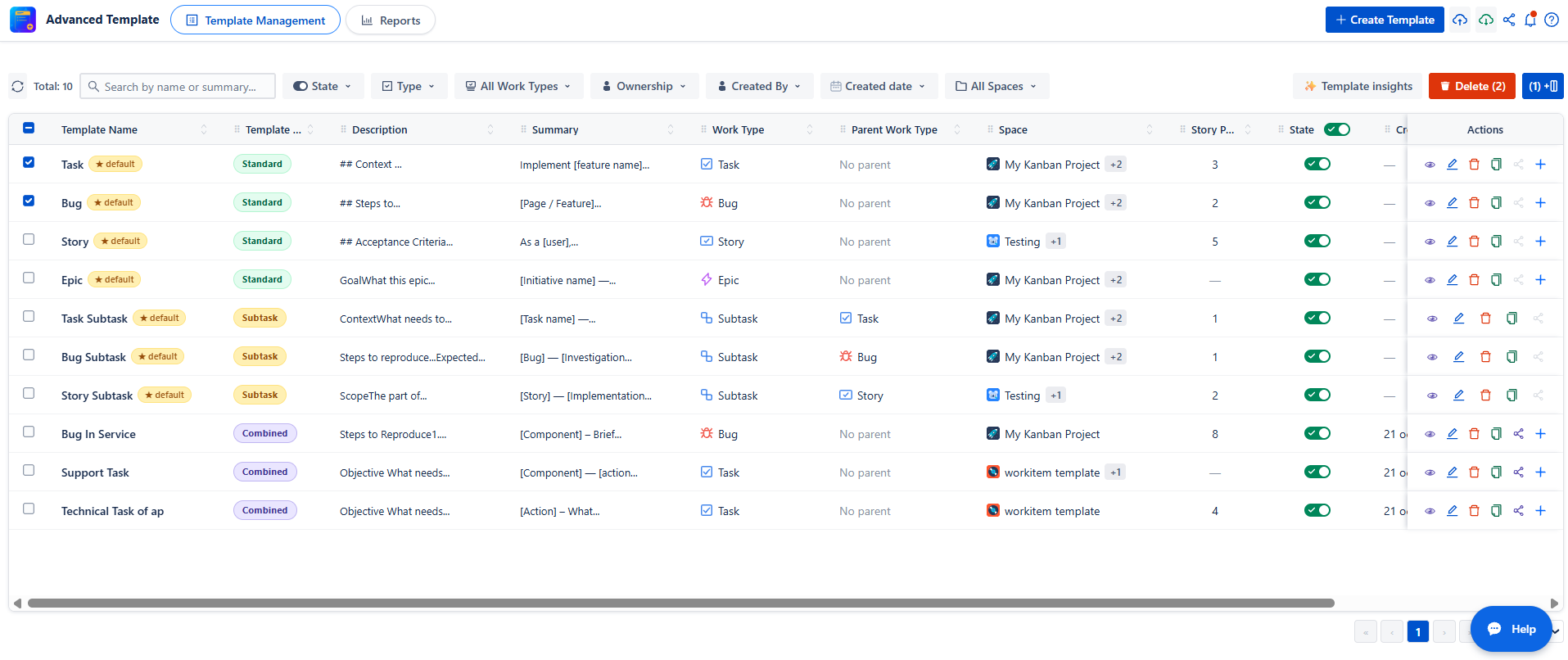
Page Structure
The table displays:
-
Template Name
-
Template Type (Standard or Sub-task)
-
Description
-
Summary
-
Project
-
Work Type (Bug, Task, Story…)
-
Parent Work Type
-
Priority
-
Enabled status
-
Actions
Available Features
-
Search & Filter Templates
The search bar allows you to quickly find a specific template by name. You can also refine results using filters:
-
-
State: Filter templates by status (Enabled or Disabled).
-
Template Type: Filter by Standard, Sub-task, or Combined templates.
-
All Work Type: Filter by work item type, such as Bug, Task, Story, or Sub-task.
-
All Parent Work Types : Filter by work item type, such as Bug, Task, Story or more.
-
Ownership: View your own templates or templates shared with you.
-
Created By: Filter templates by the user who created them.
-
Created Date: Filter templates by their creation date.
-
All Space : Filter templates by the associated project.
-
Click Clean Filters to reset all filters at once.
The Parent Work Type filter appear in the following two cases:
-
When Sub-task is selected as the template type.
-
When Sub-task is selected in the Work Type filter.
In both cases, the Parent Work Type filter display to allow users to filter templates by their parent work item type.

-
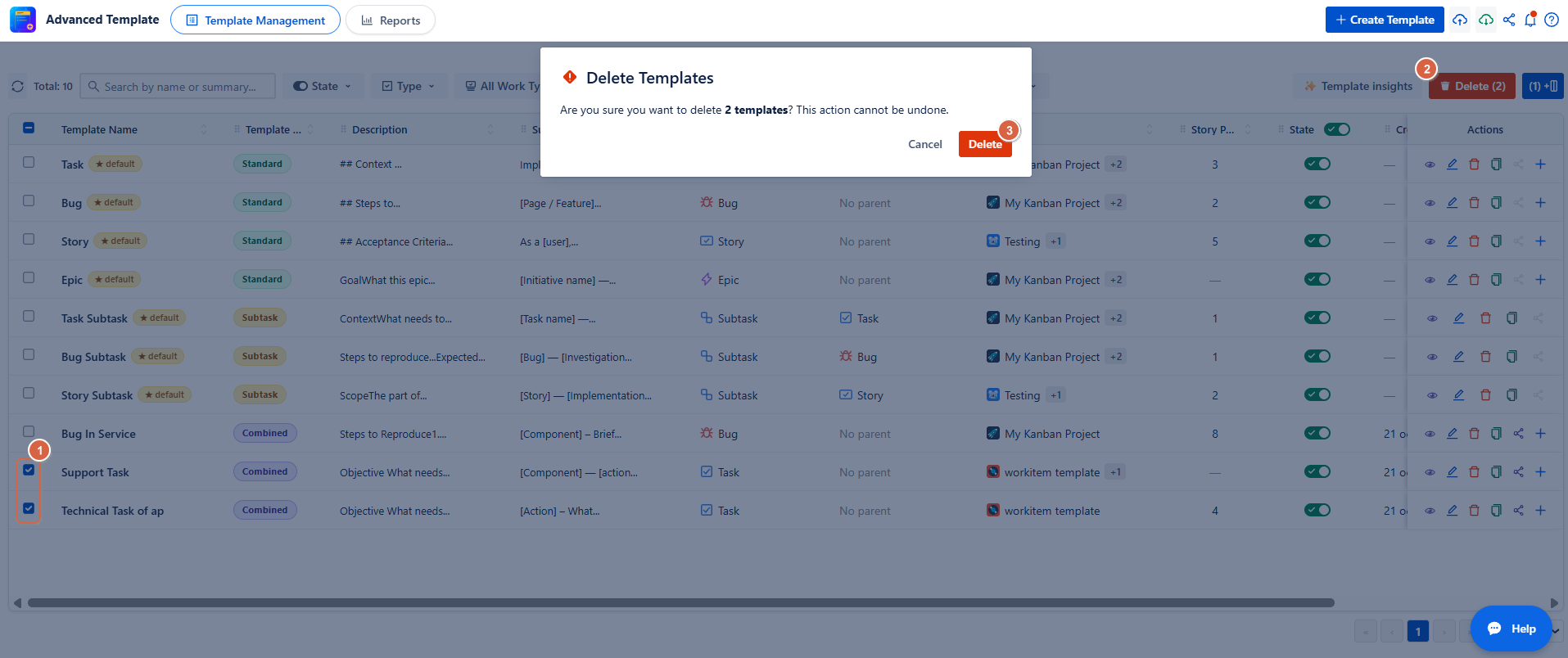
Bulk Delete
This feature allows you to delete multiple templates at once.
Steps:
-
Click Bulk Delete
-
Select one or more templates from the list.
-
Click Delete
-
Confirm the deletion to permanently remove the selected templates.
-
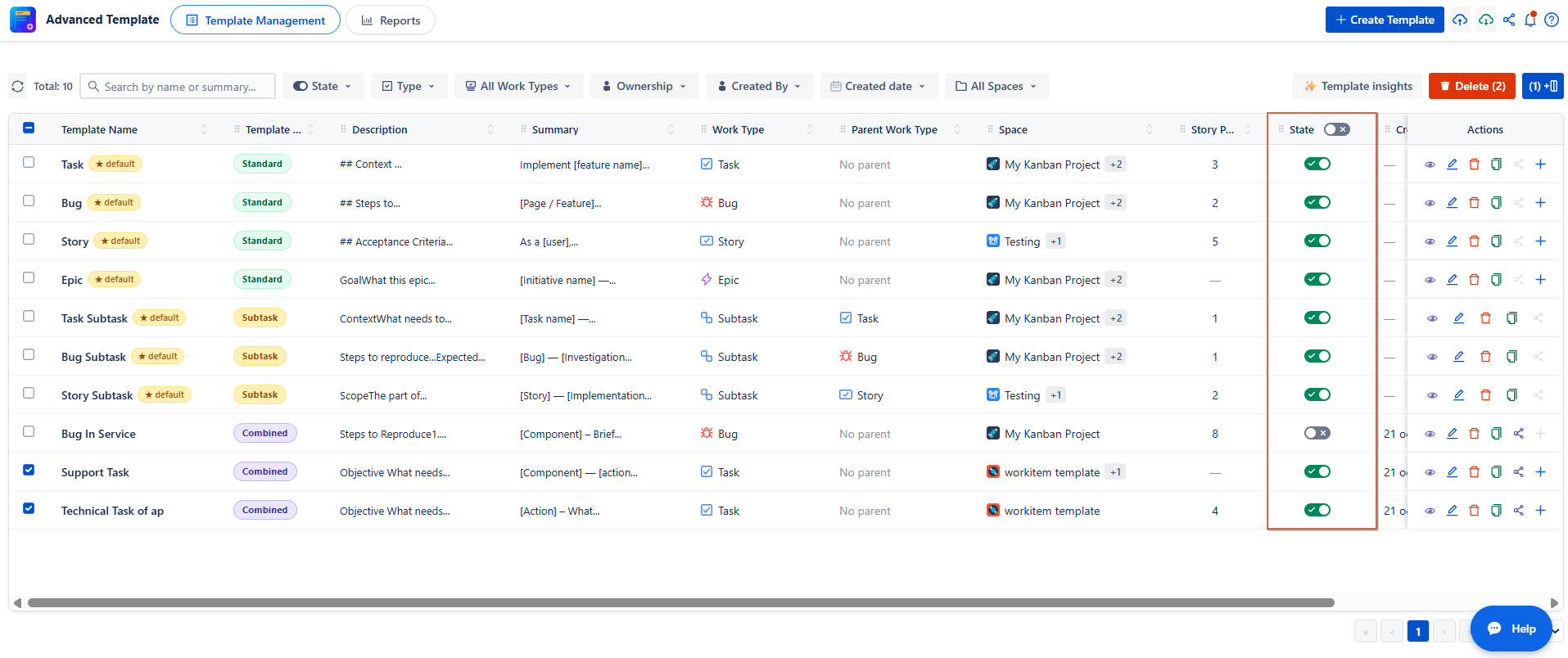
Per-Template Enable / Disable Toggle
Each template can be individually activated or deactivated using a simple toggle.
-
ON → The template is active and will be applied automatically.
-
OFF → The template is inactive and will not be applied.
You can also use the Enabled column toggle at the top of the table to enable or disable all templates at once.
-
Customize Table View
Click Fields to customize your table by adding additional columns.
You can choose from the following fields:
-
Labels
-
Story Points
-
Due Date
-
Assignee
-
Fix Version and more
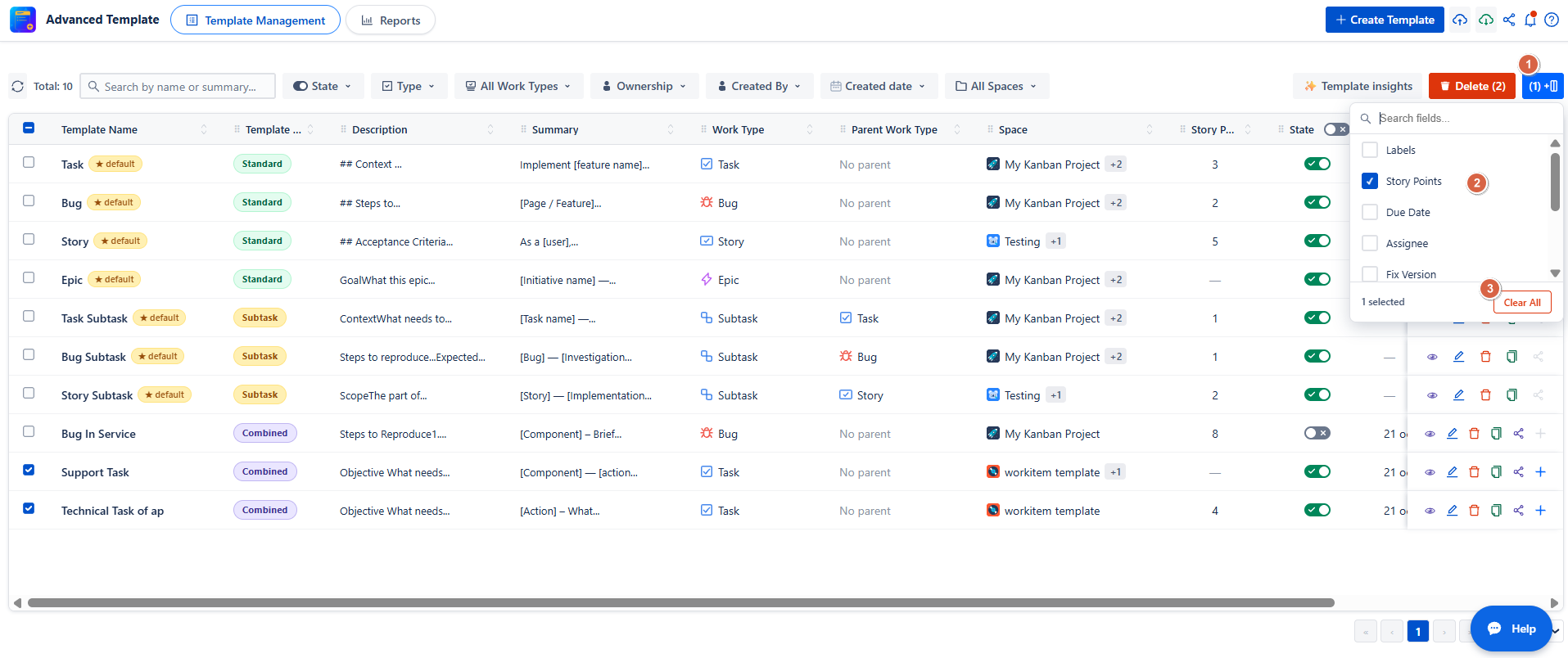
To reset the table to its default view, click Fields and then select Clear All.
-
Export & Import Templates
You can export your data in two formats:
-
PNG → A visual card format, ideal for sharing or printing.
-
JSON → Structured data format, used for re-import or further processing.
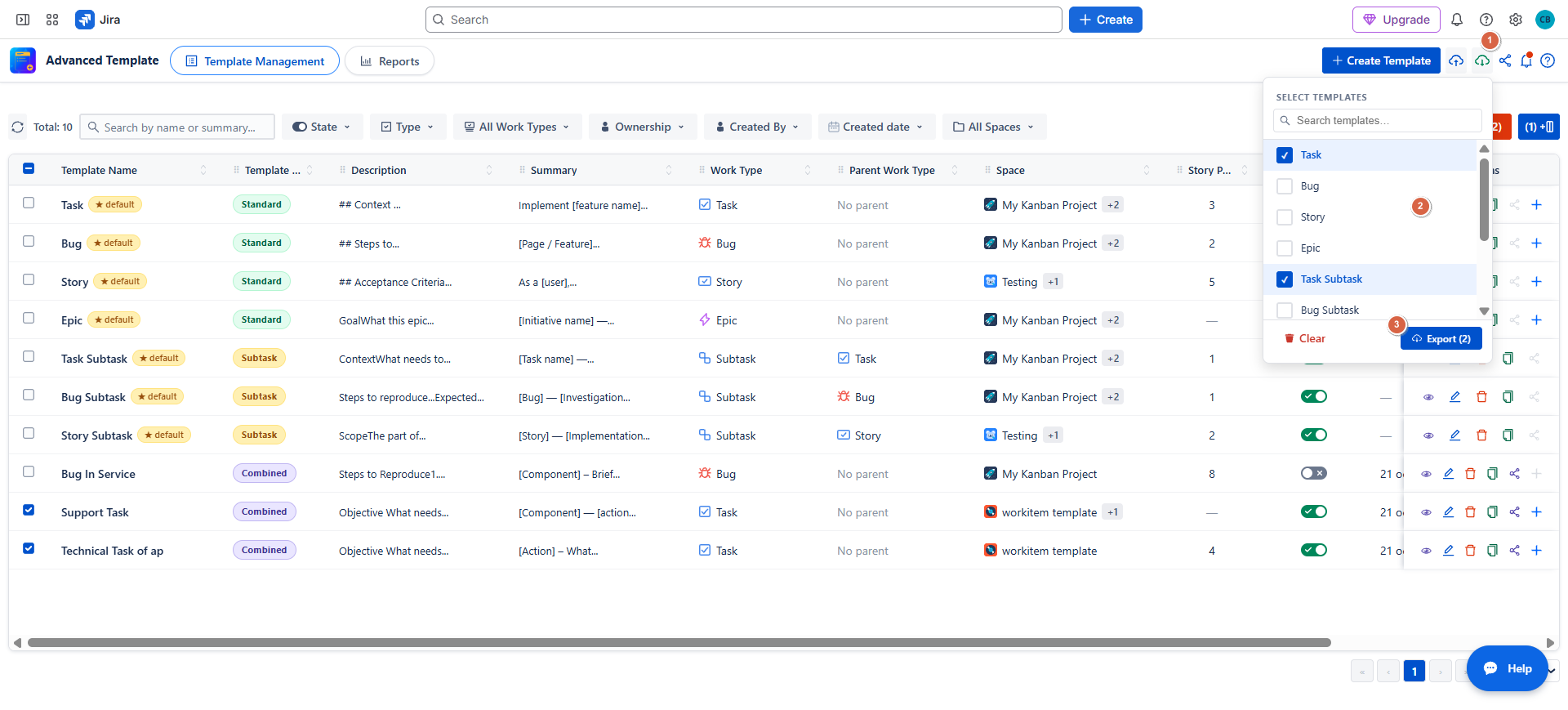
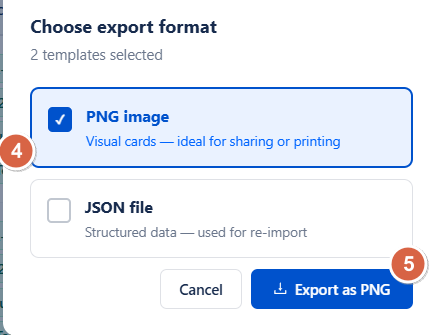
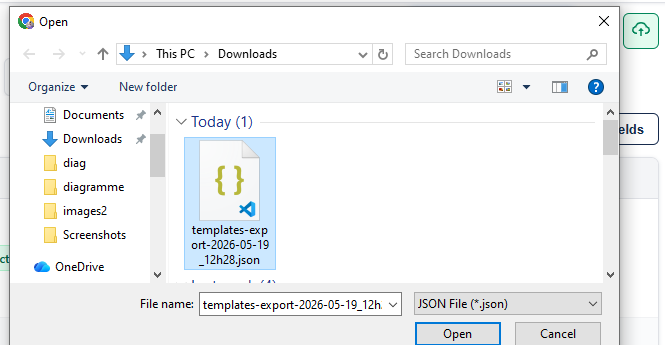
Import: JSON format only:
-
Click Import.
-
Select your JSON file.
-
Click Import to complete the process
Best Practices
-
Use Bulk Delete for large-scale cleanup of templates.
-
Use Search & Filters to easily manage and locate templates when working with many items.
-
Always enable a template after creation to make it active and usable.
-
Regularly use Export (JSON) to back up your templates and prevent data loss.
Conclusion
Advanced Work Item Templates for Jira for Jira provides a simple and efficient way to create, organize, and manage work item templates at scale. With features like search and filters, bulk actions, customizable table views, and import/export options, it helps teams maintain consistency and improve productivity across projects.
Ready to get started?
Install Advanced Work Item Templates for Jira and simplify work item creation with reusable, customizable templates tailored to your team's needs.
Need help?
💡 We're here for you! If you have questions or need to report a bug, visit our Help Center and raise a support ticket. Our team is ready to assist you!