
The History section provides a complete audit trail of all template-related actions. It automatically records every change, giving administrators full visibility into what was done, by whom, and when.
Admin Only : This section is exclusively accessible to Jira administrators. If you do not have admin rights, access will be denied.
How to Access
-
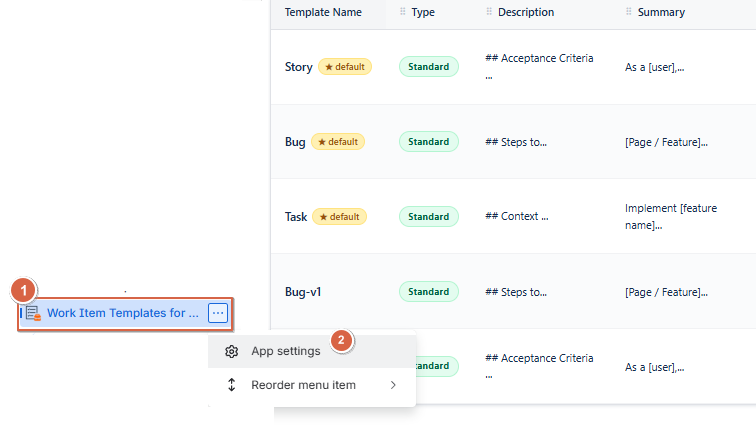
Navigate to Apps → Advanced Work Item Templates for Jira
-
Click on the ⋯ (three dots) on the right
-
Click on App Settings
-
Click on the History tab
What is Tracked
All actions performed on templates are automatically recorded in the History section. The following events are tracked :
-
Create : A new template is created
-
Edit : An existing template is modified
-
Delete : A template is permanently removed
-
Duplicate : A template is duplicated
Log Table
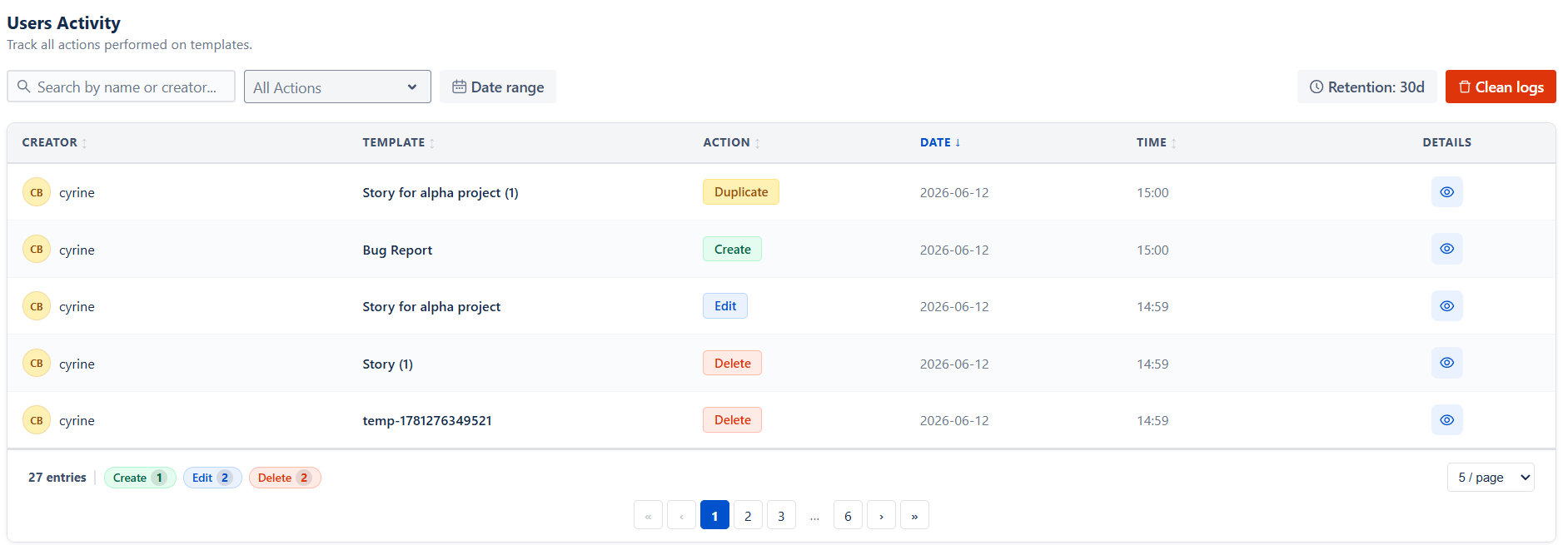
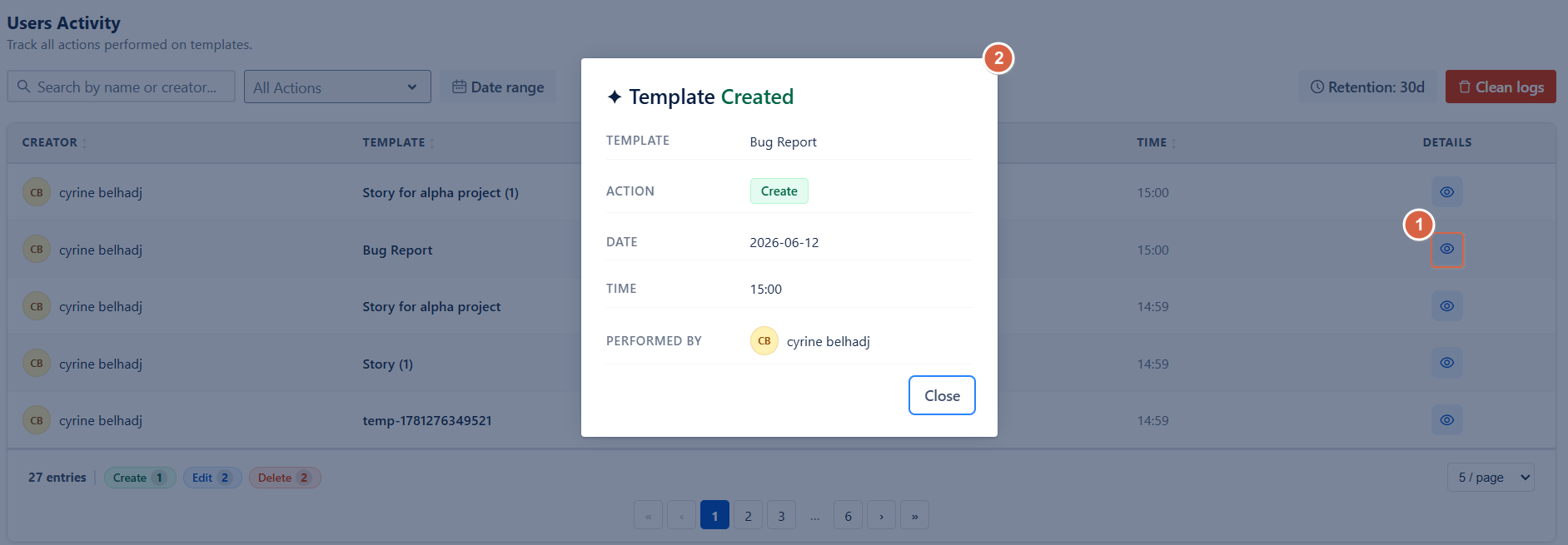
Each entry in the activity log provides a clear overview of a template-related action:
-
Template : The template involved in the action
-
Action : The type of action performed, highlighted with color coding for easy identification
-
Date : The date when the action occurred
-
Time : The exact time of the action
-
Performed by : The user who performed the action
At the bottom of the table, a summary displays the total number of log entries, along with a breakdown by action type.
Filters
Use the available filters to refine and analyze the activity log more effectively:
-
Search : Find entries by template name or creator
-
All Actions : Filter logs by specific action types (Create, Edit, Delete, Duplicate, Apply, Activate, Deactivate)
-
Date Range : Narrow results to a selected time period
Clean Logs
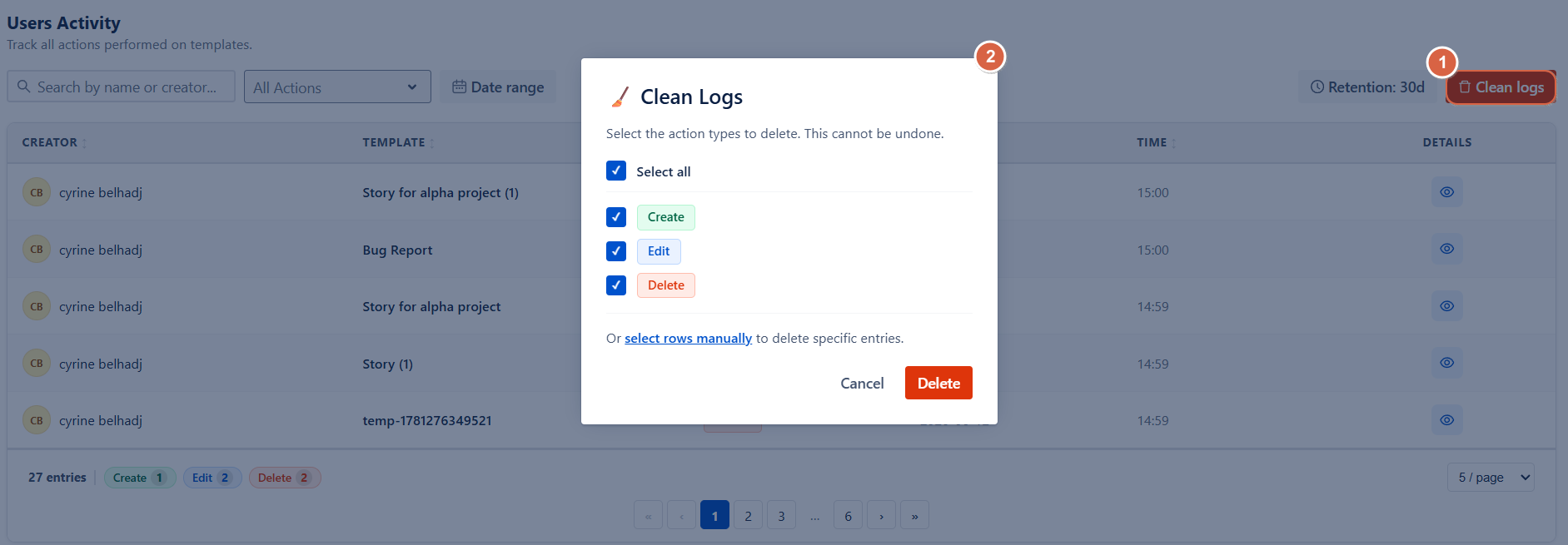
Click Clean Logs to permanently delete history records. A confirmation dialog will let you choose which action types to remove or delete specific entries manually.
This action is irreversible and cannot be undone, so it should be used with caution.
Conclusion
The History section provides a complete and transparent audit trail of all template activities, allowing Jira administrators to track every action with full context, apply filters for deeper analysis, and maintain control over historical data.
Need help?
🤝 We're here for you! If you have any questions, suggestions, or feature requests, feel free to reach out — we typically respond within 4 hours.