
The Reports section provides a real-time overview of template usage across your Jira projects, helping you track adoption, identify popular templates, and monitor overall usage trends.
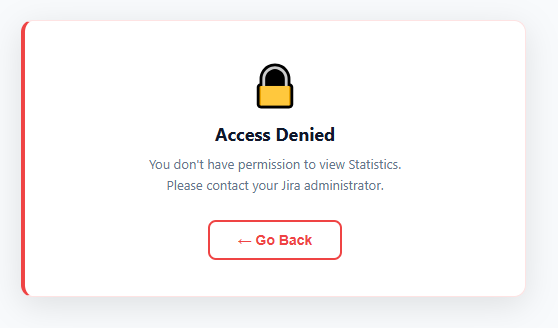
🔒 Permission Required : Access to this section is restricted to users with the View Statistics permission. If you do not have the required permission, an Access Denied message will be displayed. Please contact your Jira administrator to request access.
How to Access
-
Navigate to Apps → Advanced Work Item Templates for Jira .
-
Open the Reports tab.
Filters
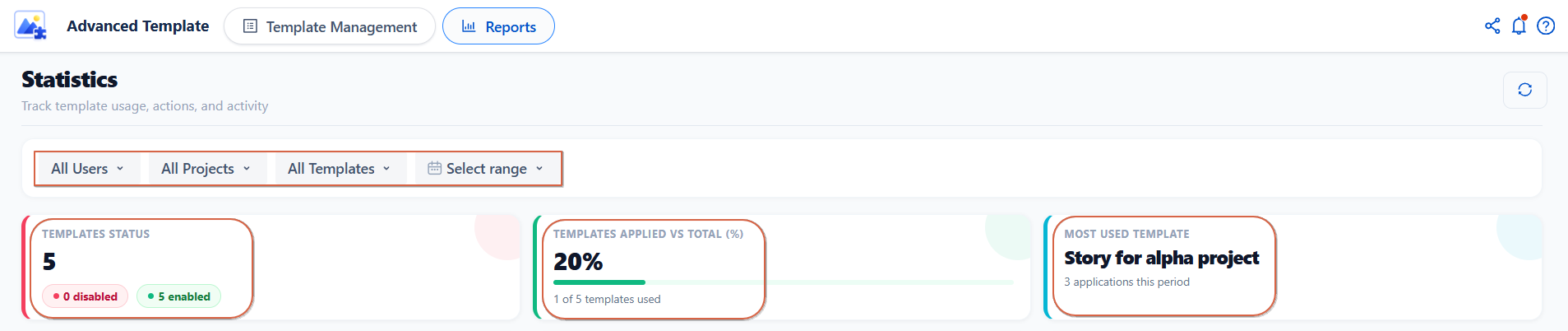
Use the filters at the top of the page to refine the displayed statistics:
-
User : View activity for a specific user.
-
Project : Display data for a particular project.
-
Template : Focus on a specific template.
-
Date Range : Analyze statistics within a selected time period.
Key Metrics
At the top of the Reports page, three summary cards provide a quick overview of template usage:
-
Most Used Template : Highlights the template used most frequently during the selected period, including its total number of applications.
-
Templates Applied vs Total (%) : Shows the adoption rate by comparing templates used at least once against the total available (e.g., 2 out of 4 templates = 50%).
-
Templates Status : Displays the total number of templates, with a breakdown of how many are enabled and disabled.
Charts
-
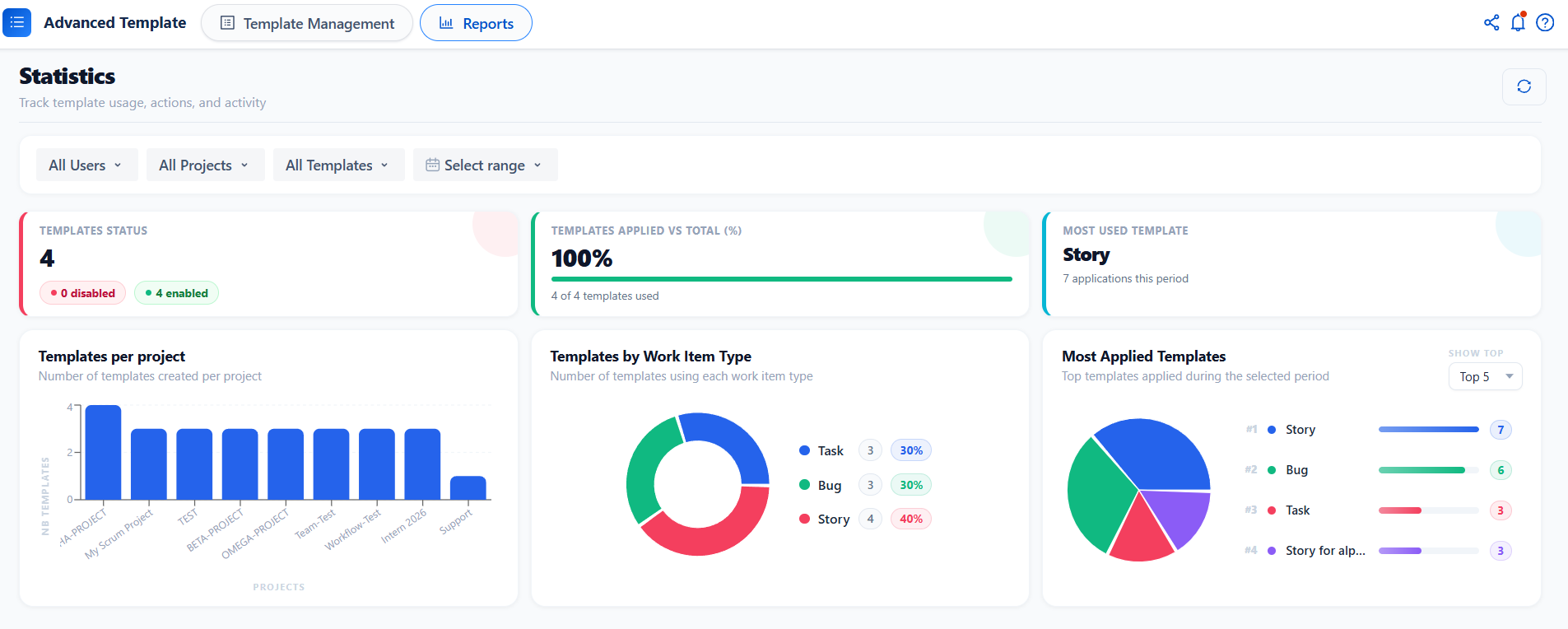
Templates per Project : A bar chart showing how many templates are created in each project, helping you quickly identify which projects are most covered.
-
Templates by Work Item Type : A donut chart displaying the distribution of templates across work item types (Bug, Task, Story, etc.), including both count and percentage.
-
Most Applied Templates : A ranked view of the most frequently applied templates during the selected period, shown as a pie chart with a corresponding bar ranking. You can adjust the ranking using the Show Top selector (Top 3, Top 5, etc.).
Conclusion
The Reports section gives you a clear and actionable view of how templates are used across your Jira environment. With real-time metrics, flexible filters, and visual charts, you can easily monitor adoption, understand usage patterns, and make informed decisions to optimize template usage across your projects.
Need help?
🤝 We're here for you! If you have any questions, suggestions, or feature requests, feel free to reach out — we typically respond within 4 hours.