
This page describes common Work items that may prevent Advanced Work Item Templates for Jira from working correctly during Work item creation in Jira, along with their causes and resolutions.
1. Template is not applied during Work item creation
Problem :
-
The template does not get applied when creating a Jira Work item.
Cause:
-
This happens when one or more fields used in the template are not present on the Jira Create Screen of the project.
-
If a template references fields that are not available on the screen, Jira cannot populate them, and the template application fails.
Solution
To fix this Work item:
-
Ensure that all fields used in the template are added to the “Create Screen”
-
Verify the project’s screen configuration in Jira settings
-
Update the screen scheme if necessary
How to add a field to the Create Screen
-
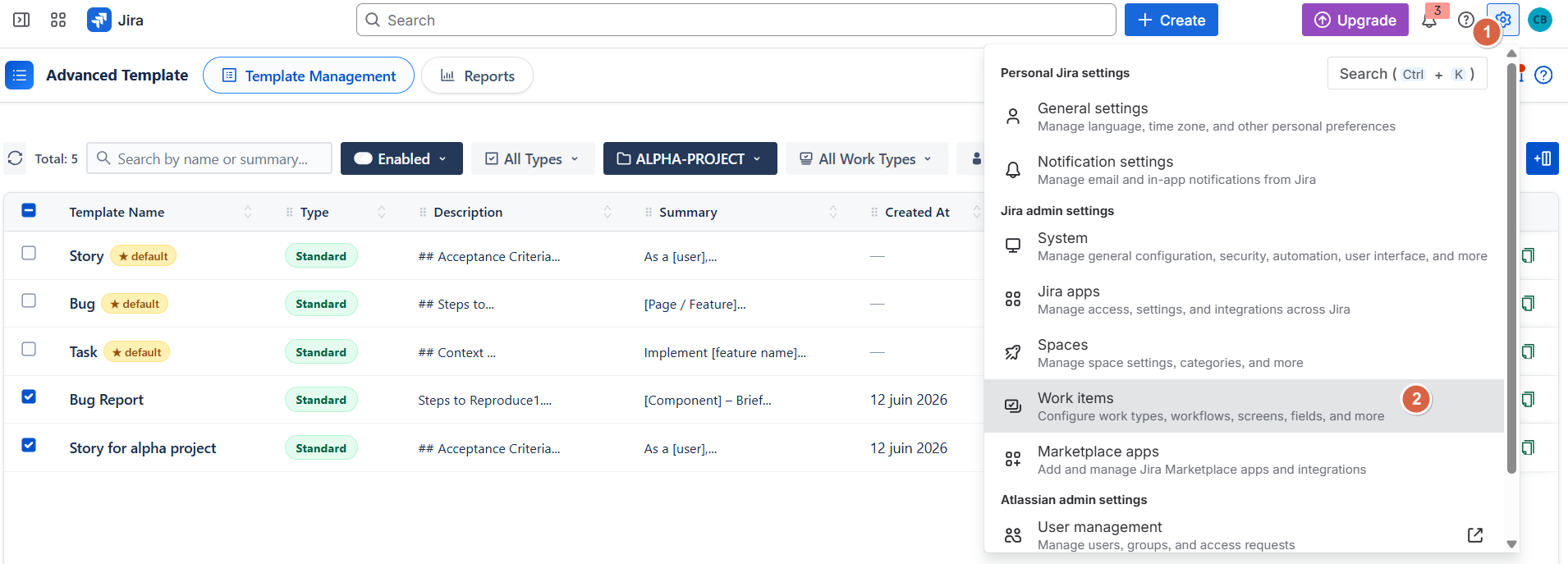
Go to Jira Settings → Work items
-
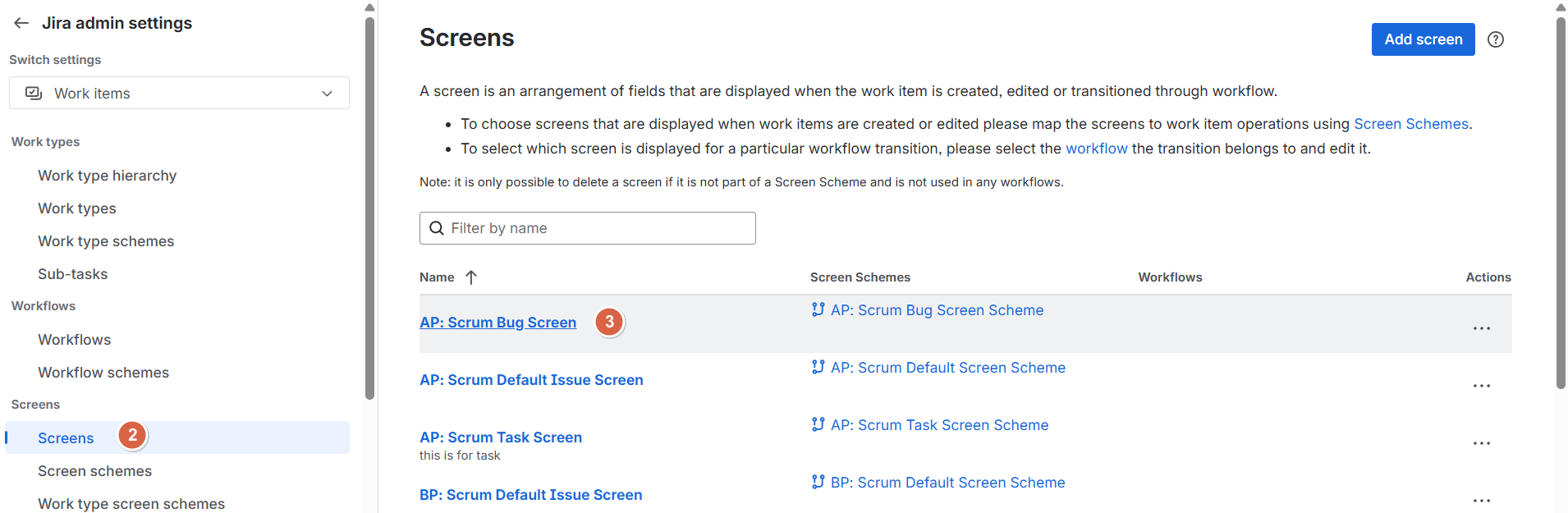
Click Screens
-
Select the relevant Screen
-
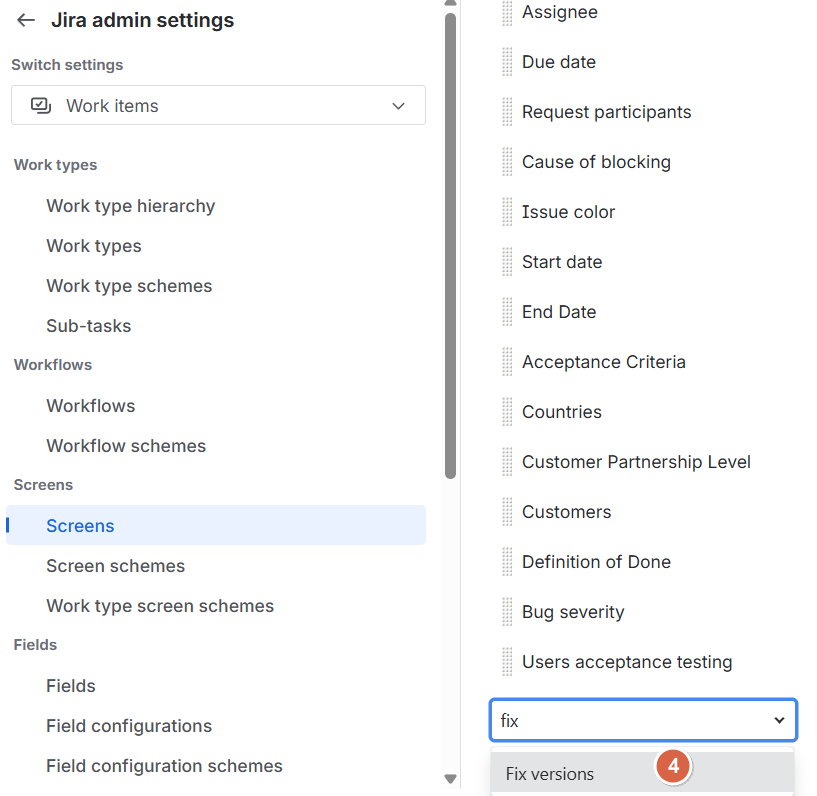
Select the missing field(s) used in your template
Important
All fields referenced in a template must exist on the Create Screen for the template to work correctly.
2. “Work Item Template” field is missing on Create Screen
Problem :
-
Users cannot see or select a template during Work item creation, and cannot change the applied template.
Cause :
-
The field Work Item Template has not been added to the Jira Create Screen.Without this field, the template selector is not available in the Work item creation form.
Solution :
To resolve this:
-
Add the Work Item Template field to the Create Screen of the project
Note: In Company-managed projects, the Work Item Templates field is added automatically to all relevant screens, so no additional configuration is required.
For Team-managed projects, the field is not added automatically. To use templates, you must manually add the Work Item Templates field to the project's screen layout.
How to add the field
-
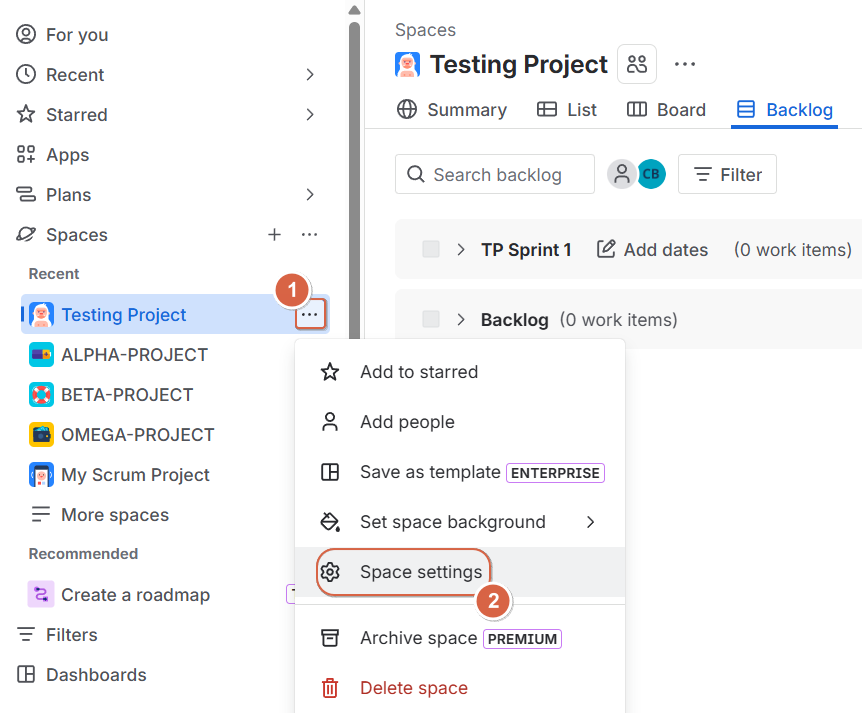
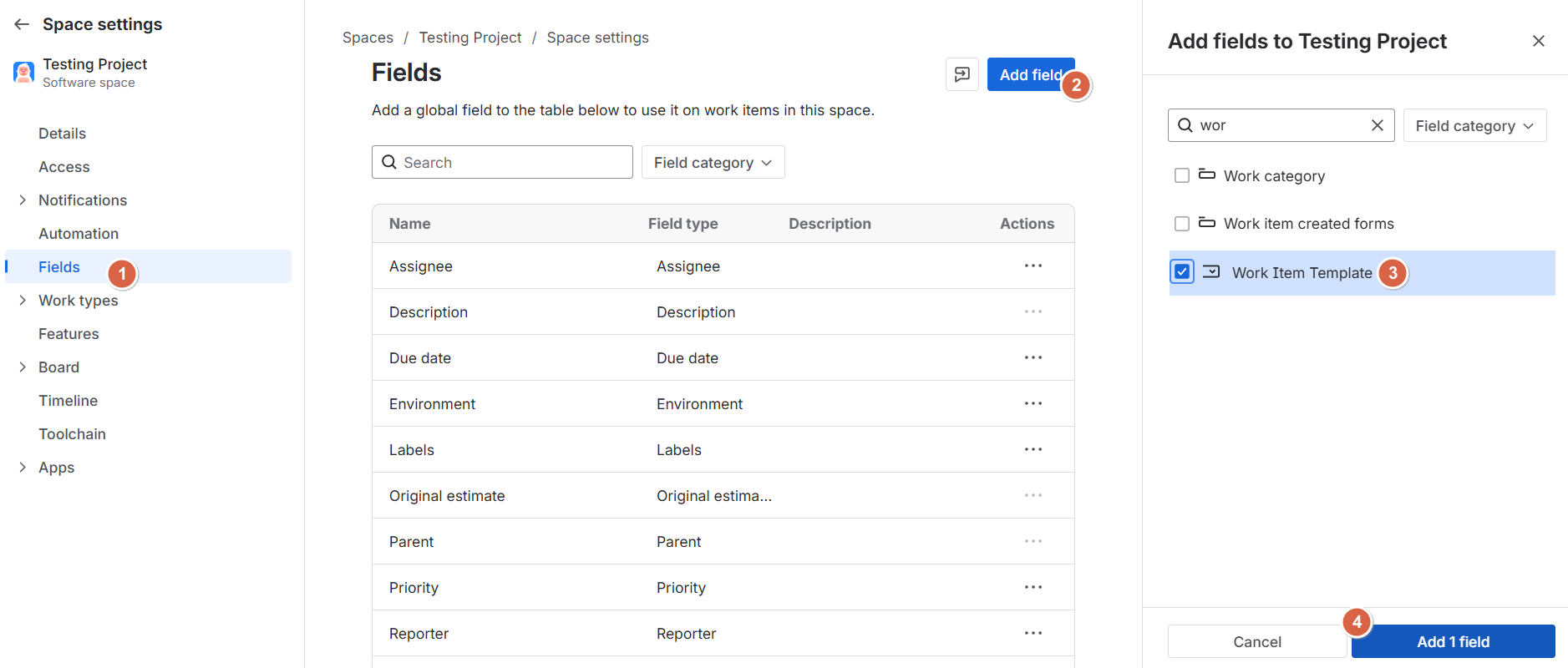
Go to 3 dots of the project → Click space settings
-
Select Fields
-
Click add field and Search for the field “Work item Template “
-
Select the field and click “Add field”
-
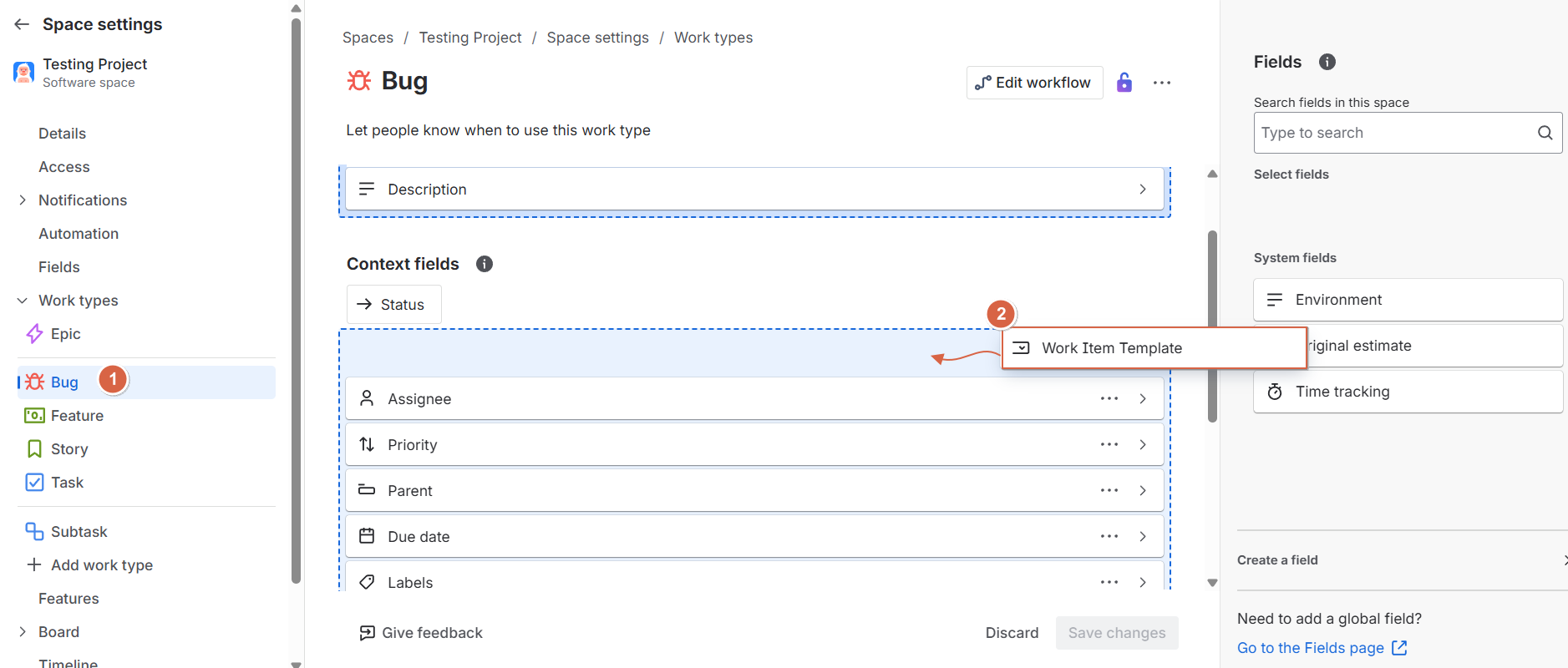
Click on Work Types and select the work type where you want to add the field to the screen layout.
-
Drag and drop the Work Item Template field into the screen layout, then click Save Changes.
Important
The Work Item Template field is mandatory. Without it:
-
Users cannot select a template
-
Template switching during Work item creation will not be available
Conclusion
Both Work items are directly related to Jira screen configuration rather than the template system itself. Ensuring that all required fields especially the Work Item Template field are properly added to the Create Screen is essential for correct template behavior.
Need help?
💡 We're here for you! If you have questions or need to report a bug, visit our Help Center and raise a support ticket. Our team is ready to assist you!