
The Jira Sheets page provides a spreadsheet-style view of Jira issues, allowing administrators to manage work items in bulk, analyze project data, and optimize storage usage.
It is especially useful for cleaning up unnecessary issues and large attachments that consume storage in your Atlassian instance.
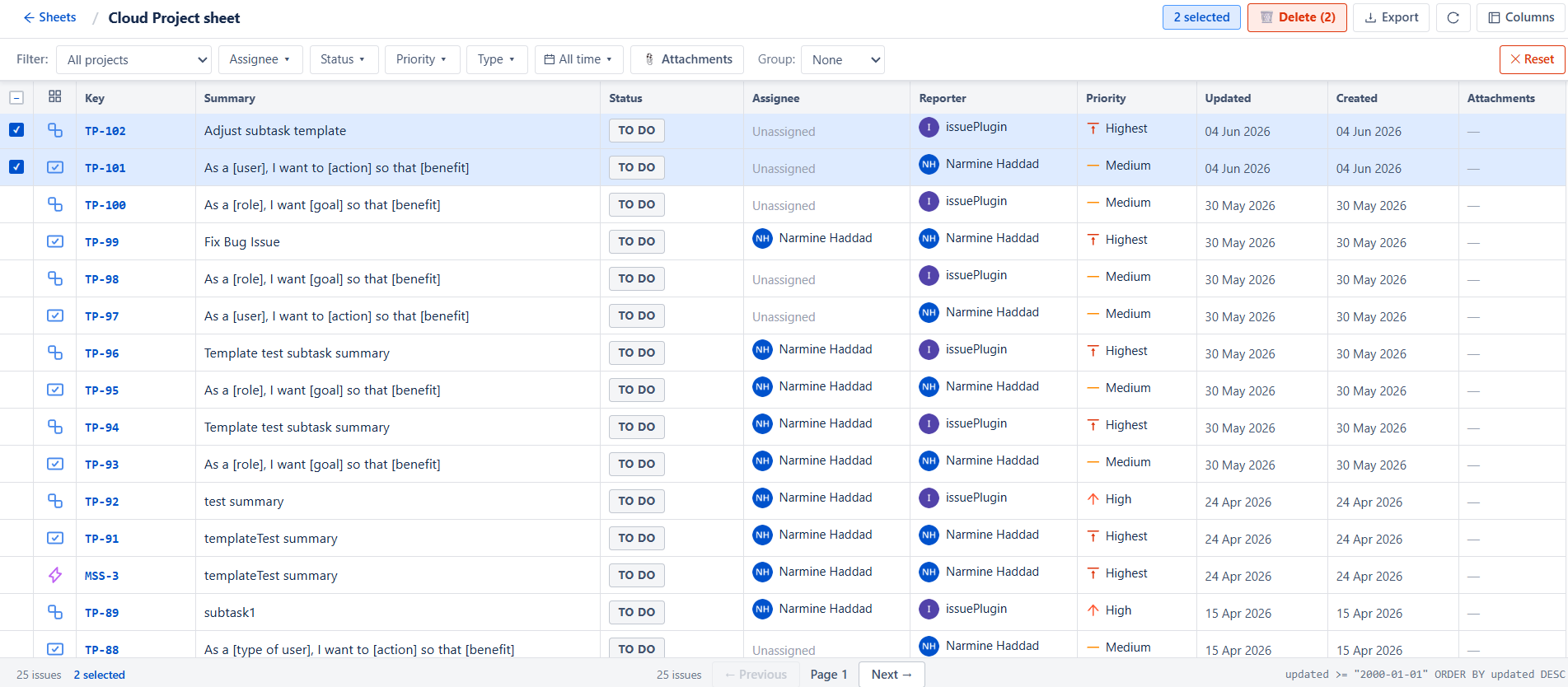
Sheet View
Jira Sheets displays issues in a structured table format, similar to a spreadsheet.
Each row represents a Jira issue with key details such as:
-
Issue type (Story, Task, Sub-task, etc.)
-
Issue key
-
Summary
-
Status (To Do, In Progress, Done)
-
Assignee
-
Priority
-
Dates (created / updated)
This format allows quick scanning and large-scale management of issues.
Filters
To help narrow down results, multiple filters are available:
-
Project filter : Filters issues based on the selected Jira project
-
Assignee filter : Shows issues assigned to a specific user
-
Status filter : Filters issues by their current workflow state
-
Priority filter : Displays issues based on urgency level
-
Issue type filter : Filters issues by type such as Story, Task
-
Time filter : Limits issues based on time
These filters help quickly identify relevant issues for cleanup or analysis.
Column Customization
The sheet allows full customization of visible columns.
Administrators can:
-
Add or remove columns
-
Display additional metadata (attachment size)
Attachment Insights
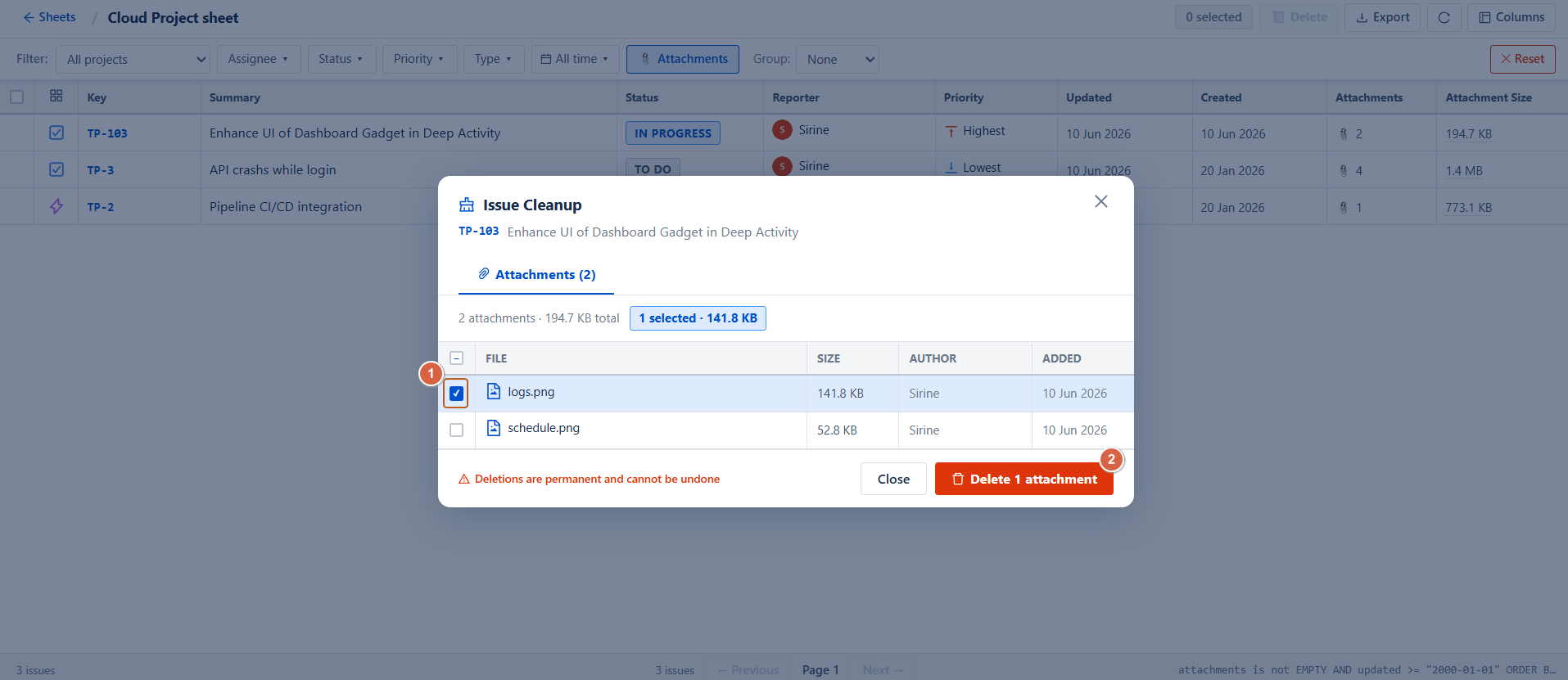
A dedicated Attachments column helps identify:
-
Issues with attachments
-
Large file sizes
-
Storage-heavy issues
This is especially useful for detecting storage consumption sources.
Steps to clean attachment
-
Select the attachment(s) you want to remove.
-
Click Delete Attachment to permanently delete the selected attachment(s).

-
Select the attachment(s) you want to remove.
-
Click Delete Attachment to permanently delete the selected attachment(s).
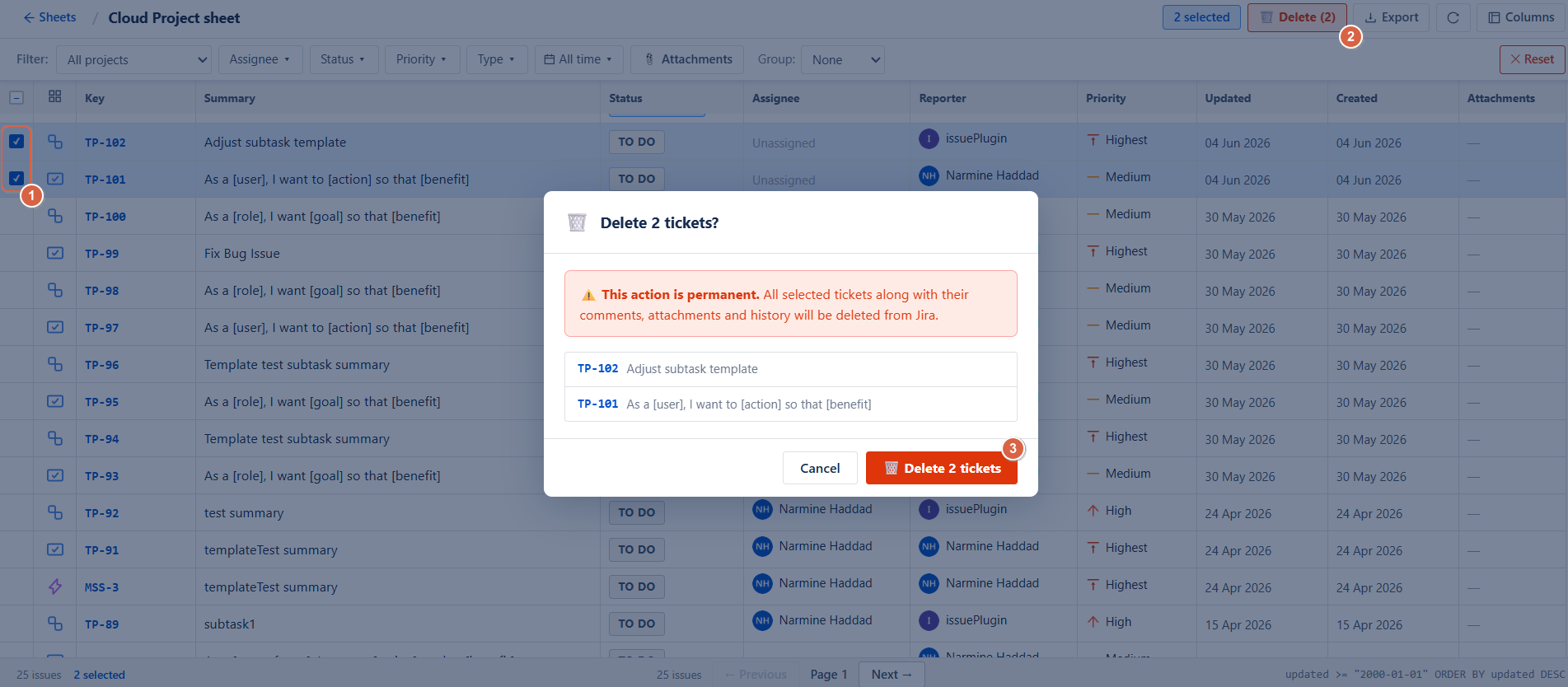
Bulk Actions
Jira Sheets supports powerful bulk operations for multiple issues.
Bulk Issue Actions
-
Bulk delete selected issues
Storage Optimization
One of the main purposes of Jira Sheets is reducing instance storage.
You can:
-
Identify large attachments
-
Sort issues by attachment size
-
Remove unnecessary files
-
Clean old or unused issues
This ensures better performance and lower storage consumption.
Why Jira Sheets Matters
This page is essential for:
-
Cleaning up outdated Jira issues
-
Reducing storage costs
-
Managing attachments efficiently
-
Improving Jira performance
-
Performing bulk administrative operations
Conclusion
Jira Sheets provides a powerful way to manage Jira data at scale. With filtering, column customization, and bulk cleanup tools, administrators can efficiently maintain a clean, optimized, and high-performing Jira environment while significantly reducing storage usage.
Need help?
💡 We're here for you! If you have questions or need to report a bug, visit our Help Center and raise a support ticket. Our team is ready to assist you!