
The Dashboard Overview is the central hub of License Optimizer. It provides a real-time summary of your Atlassian organization, helping administrators monitor user activity, track license consumption, and quickly identify opportunities for optimization.
Organization Health at a Glance
-
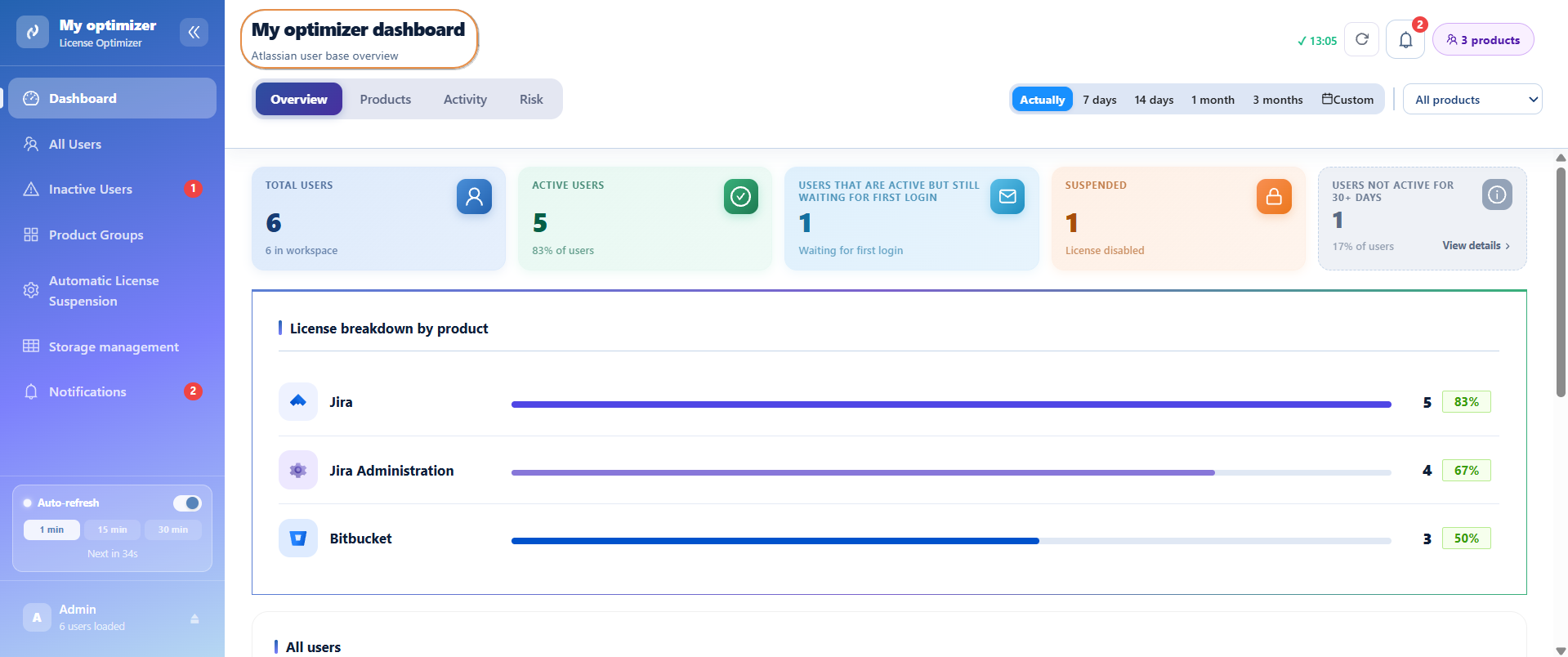
The top section of the dashboard presents key metrics about your organization
-
Total Users : Total number of users in the workspace.
-
Active Users : Users with an active license and account.
-
Users Waiting for First Login : Active users who have not logged in yet.
-
Suspended Users : Users whose license has been disabled.
-
Users Not Active for 30+ Days : Users who haven't logged in for the last 30 days.
This indicator helps administrators quickly identify potential cost-saving opportunities and take action to reclaim unused licenses before renewal periods.
License Distribution Across Products
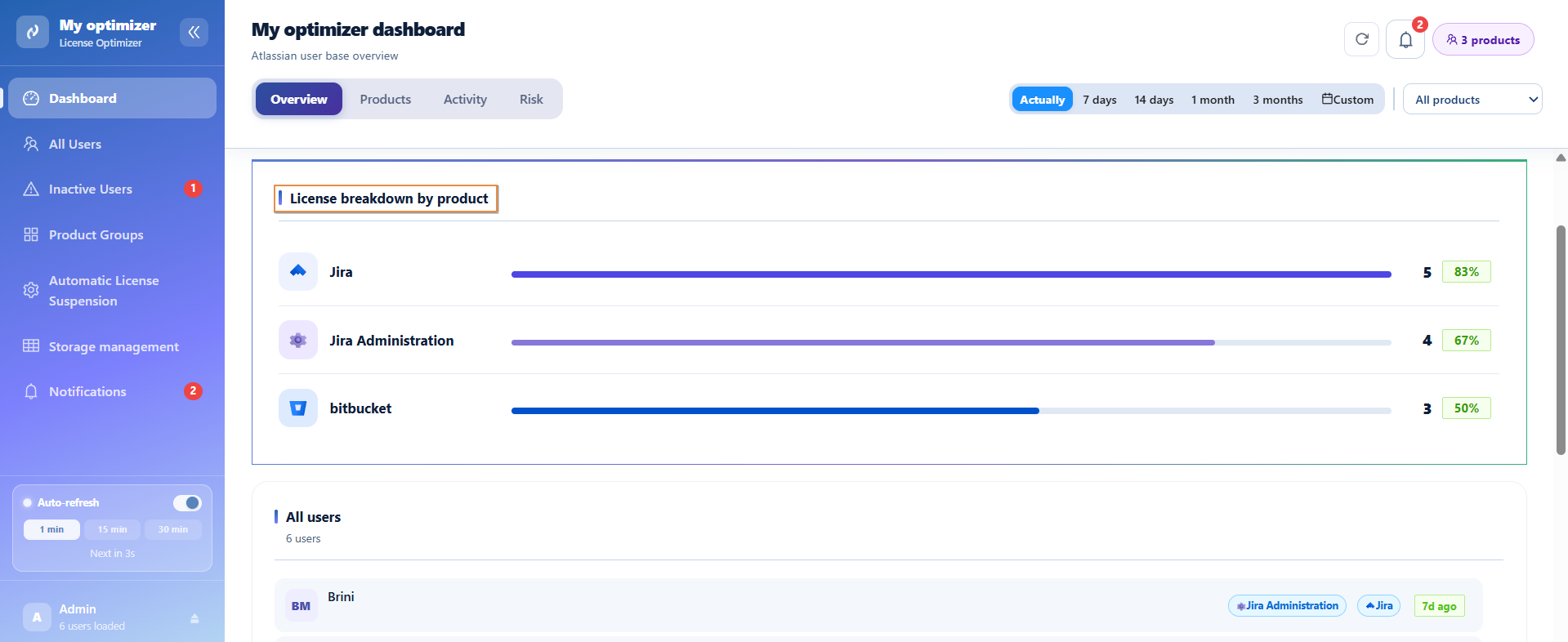
The License Breakdown section shows how licenses are distributed across Atlassian products such as Jira, Confluence, Assets, and Jira Service Management.
For each product, you can quickly see:
-
Number of licensed users
-
Adoption rate across the organization
This information helps administrators identify underutilized products and make informed licensing decisions.
User Activity Overview
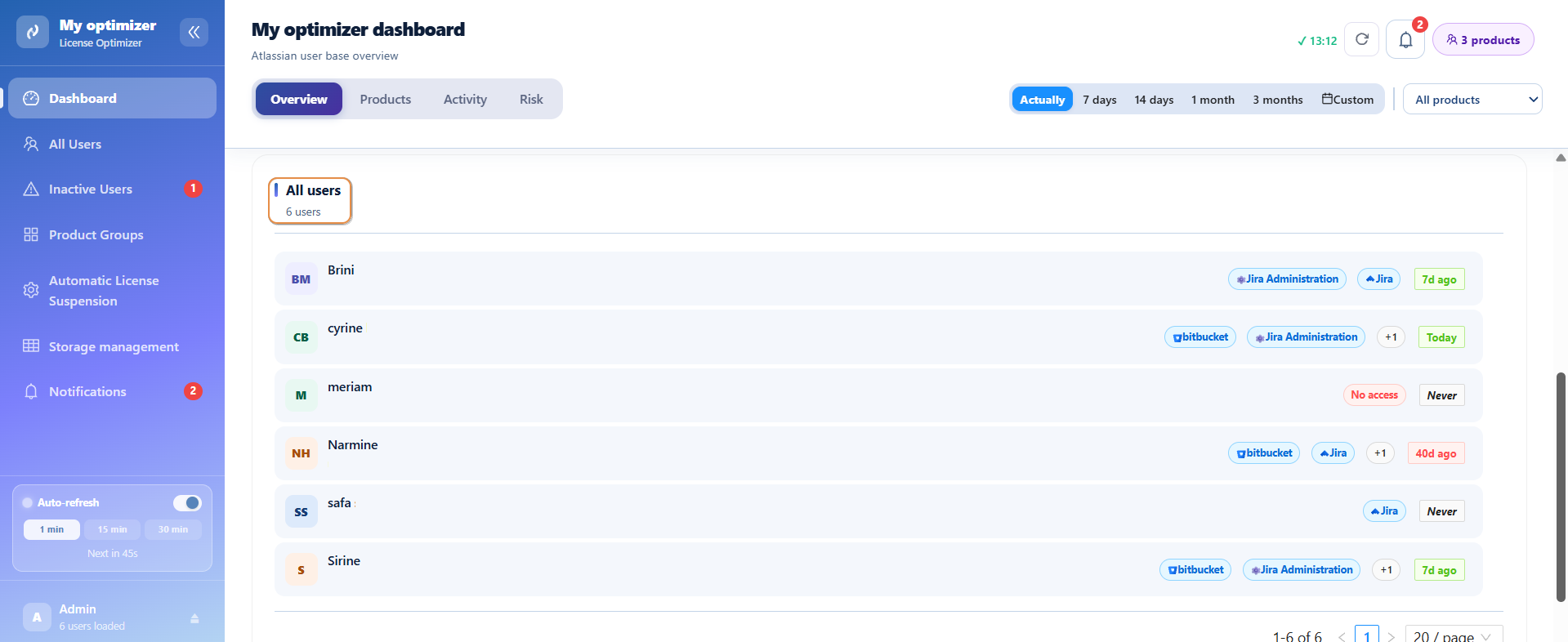
The dashboard also provides a consolidated view of all users in the organization.
For each user, you can review:
-
Name and email address
-
Assigned products
-
Last activity date
This allows administrators to quickly identify active users, recently inactive users, and accounts that may require further review.
Users who have never logged in are clearly visible, making it easy to detect unused accounts or pending onboarding activities.
Real-Time Monitoring
To ensure information remains current, the dashboard supports automatic refresh functionality. User activity and license information are continuously updated, providing administrators with the latest view of their organization.
Filter and Analyze Your Data
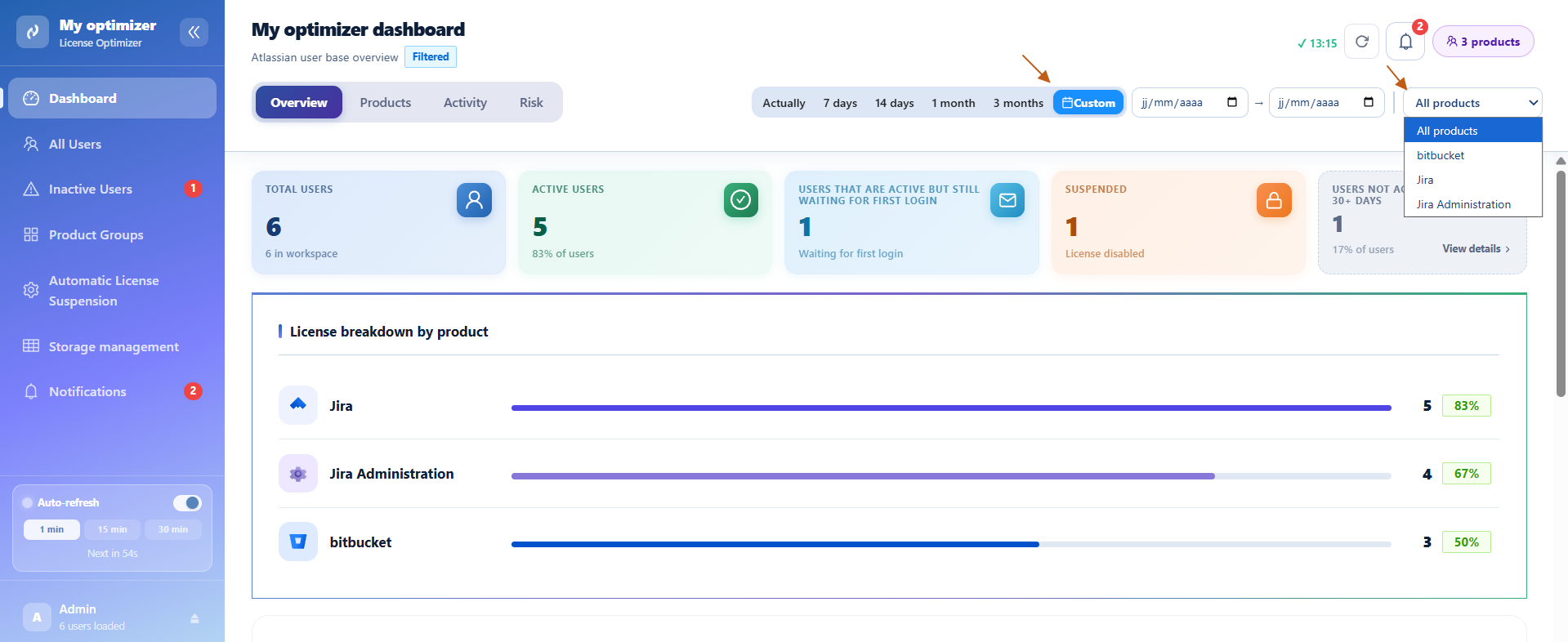
The dashboard includes powerful filtering options that allow administrators to focus on specific users and time periods.
Activity Period Filter
Use the activity filter to analyze user activity over different time ranges.
Available options include:
-
Last 7 Days
-
Last 14 Days
-
Last month
-
Last 3 months
-
Custom range
Changing the activity period automatically updates all dashboard metrics and user statistics.
Product Filter
Use the product selector to focus on specific Atlassian products.
Available products may include:
-
Jira
-
Confluence
-
Jira Service Management
-
Jira Administration
-
Assets
-
Customer Service Management
Benefits
Using the Dashboard, administrators can:
-
Monitor organization-wide user activity
-
Track license consumption across products
-
Identify inactive or underutilized accounts
-
Detect unused product access
-
Review pending user invitations
-
Make data-driven license optimization decisions
Conclusion
The User & License Insights Dashboard serves as the command center of License Optimizer. By bringing together user activity, license allocation, and product adoption metrics in a single view, it enables administrators to efficiently manage their Atlassian environment and maximize the value of their licenses.
Ready to optimize your Atlassian licenses?
Install License Cost Optimizer for Jira and start monitoring license usage, identifying inactive users, and finding opportunities to reduce unnecessary costs across your Atlassian organization.
Need help?
💡 We're here for you! If you have questions or need to report a bug, visit our Help Center and raise a support ticket. Our team is ready to assist you!