
Welcome to the Colored Label Manager!
Your all-in-one workspace to create, organize, and analyze powerful color-coded labels that bring clarity and structure to your Jira projects.
Below, you’ll find a series of explainer videos that guide you step-by-step through the main features helping you get the most out of every tool, smoothly and easily.
Videos explained
-
These videos walk you through the main features of Colored Label Manager, helping you understand and use each feature smoothly.
Add Labels from a work item directly
-
This video explains how to add and create new labels and customize them with colors in the work item view .
Dashboard Gadget
-
This video explains how to use the dashboard gadget to visualize labels and their usage.
Filter Out Labels
-
This video explains how to filter and hide specific labels from your views.
Manage Labels
-
This video explains how to organize, merge, and maintain your label collection.
Manage Existing Project Labels
-
This video explains how to manage labels that already exist in your Jira projects.
Restrict Label Creation
-
This video explains how to control and restrict label creation within your organization.
Reports of colored label manager
-
This video shows the reports in the apps and how to manipulate them and get the most insights from
Create label field and vizualise it from colored labels
-
This video explains step by step from creating a label field from the global page to visualise it in the colored labels page
key features
-
These flyers highlight each feature of the app, allowing you to visualize how they work and easily understand the main functionalities.
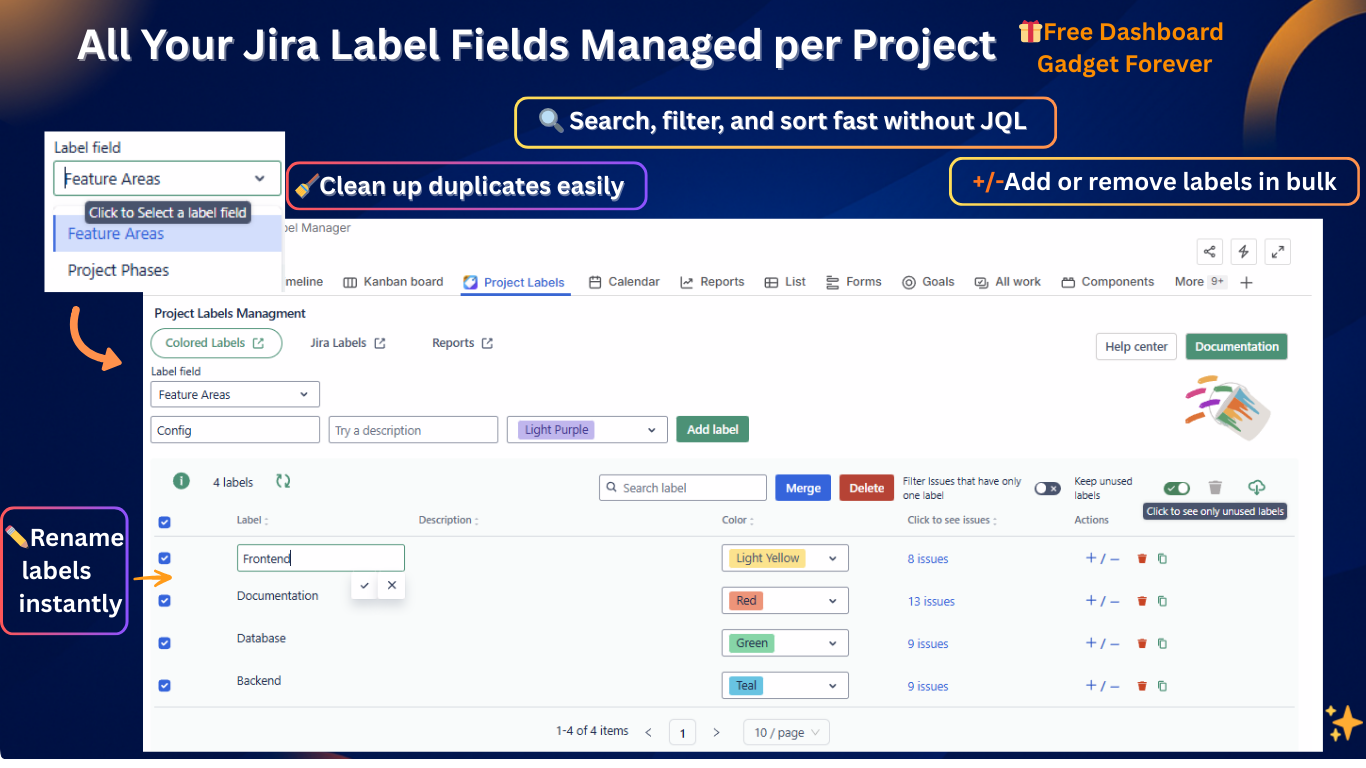
-20251208-164904.png?cb=23b2b6ba90134f6602e7bb460c47ca8e)
-20251208-164859.png?cb=40007658245171a5b14ce59aa9980e35)
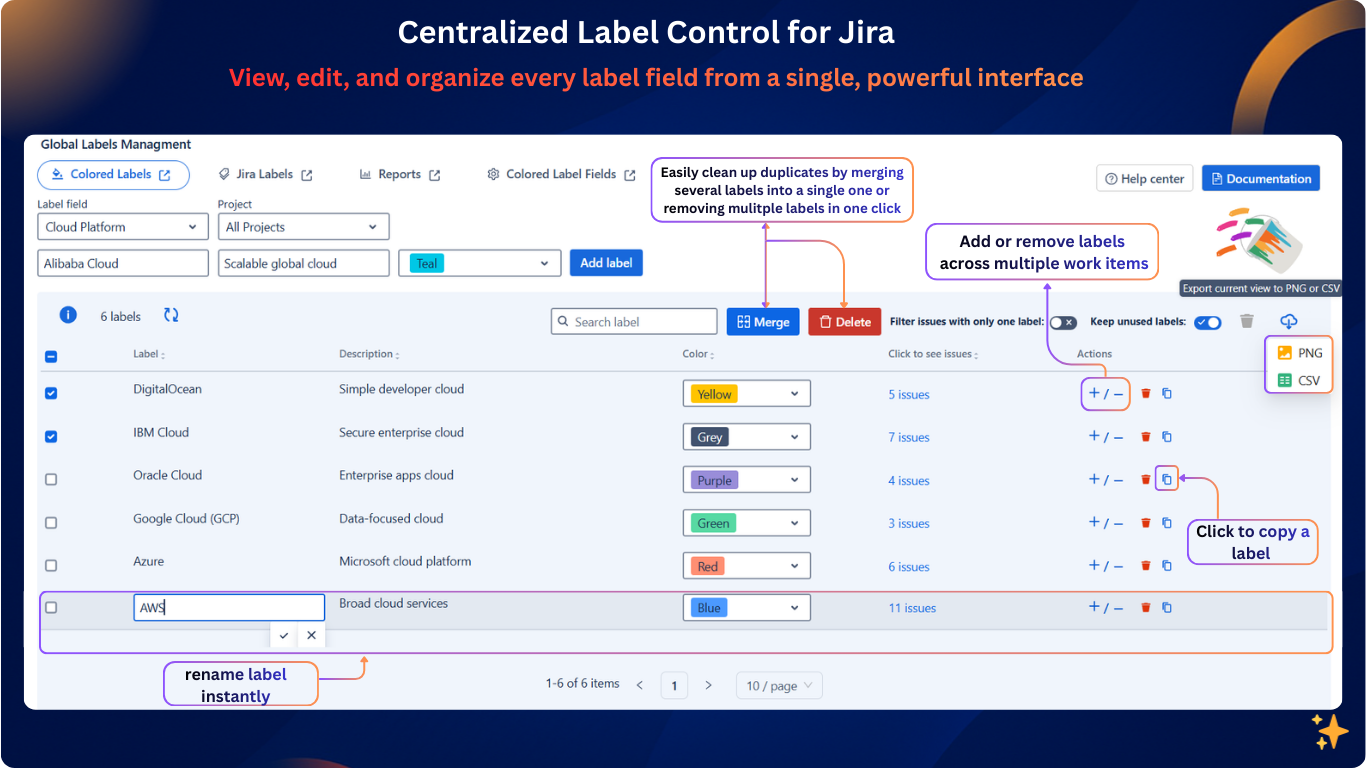
-20251205-130358.png?cb=41cbbc07fbe08f75380c82da37e48db3)
-20251208-091612.png?cb=3d30ff6efa28a9822787ed693d7a1038)
Useful Links
Need help?
💡 We're here for you! If you have questions or need to report a bug, visit our Help Center and raise a support ticket. Our team is ready to assist you!