
Atlassway Agent is an AI-powered assistant built into Work Item History – Smart Change Tracking for Jira. It helps you understand Jira activity faster by allowing you to ask questions about changes, updates, comments, status transitions, users, projects, and work items using natural language.
Accessing Atlassway Agent
To get started:
-
Open Jira.
-
Open Work Item History – Smart Change Tracking for Jira.
-
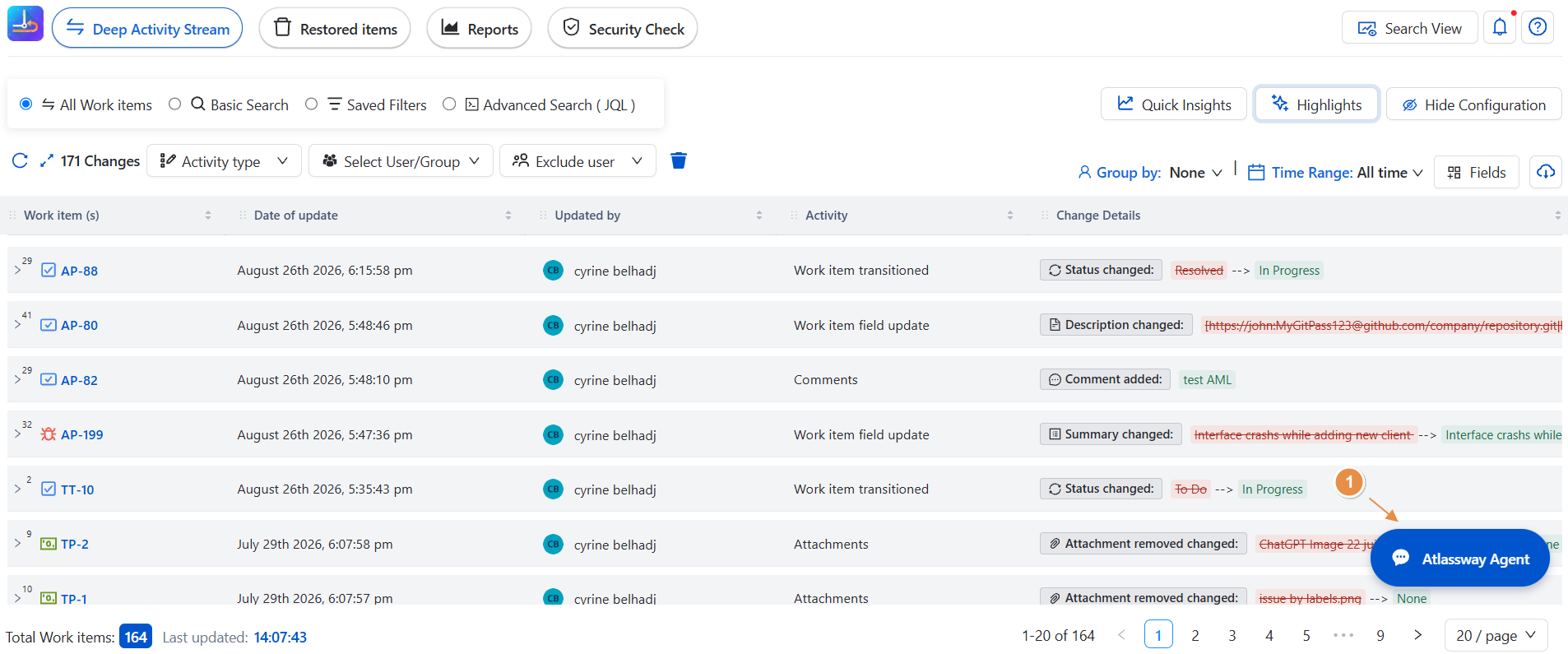
Navigate to Atlassway Agent.
-
The Atlassway Agent welcome page opens.
You will see a summary of recent Jira activity, helping you immediately understand what has been happening in your projects.
Activity Overview
-
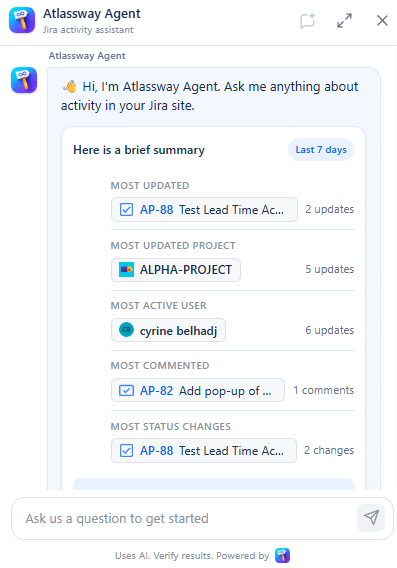
When you open Atlassway Agent, it automatically provides a Last 7 Days activity summary.
-
The overview includes several key activity indicators:
-
Most Updated : Displays the work item that received the highest number of updates during the selected activity period.
-
Most Updated Project : Identifies the project with the highest amount of recorded activity.
-
Most Active User : Shows the user who made the highest number of updates.
-
Most Commented : Highlights the work item that received the most comments.
-
Most StatusChanges : Identifies the work item with the highest number of status changes.
-
Total Activity : Provides an overall summary of Jira activity, including the total number of updates and the number of work items affected.
-
This overview gives you an immediate understanding of the most important activity without having to manually review individual work items.
Ask Atlassway Agent
-
The main feature of Atlassway Agent is its AI-powered question and answer experience.
-
You can ask questions using natural language. You don't need to know specific commands or filters.
-
Simply enter your question in the chat and Atlassway Agent will analyze the relevant Jira activity.
For example:
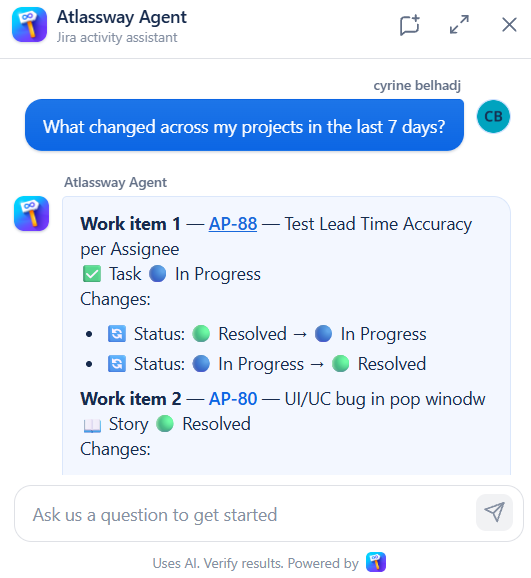
What changed across my projects in the last 7 days?
The agent analyzes recent activity and provides a summary of the changes across your projects.
Tips for Asking Effective Questions
-
To get the most relevant results:
Be Specific
Instead of:
Show me activity.
Try:
Show me the most active work items from the last 7 days.
Mention the Activity Type
Specify whether you are interested in updates, comments, status changes, users, projects, or bugs.
For example:
Which work items had the most status changes this week?
Use Natural Language
You don't need to use Jira-specific syntax. Ask questions naturally, just as you would ask a colleague.
For example:
Who has been working on Jira the most this week?
Key Benefits
Faster Activity Analysis : Quickly understand what happened without manually reviewing multiple activity histories.
AI-Powered Insights : Let Atlassway Agent analyze Jira activity and provide relevant answers based on your questions.
Natural-Language Questions : Ask questions in simple, conversational language instead of relying on complex searches.
Instant Activity Overview : Get a ready-to-use summary of the most important Jira activity when you open the agent.
Easier Investigation : Move from a high-level summary to specific work items, users, projects, comments, or status changes.
Save Time : Reduce the time spent searching through Jira activity and focus on understanding what matters.
Conclusion
Atlassway Agent makes Jira activity easier to understand by turning activity history into a conversational, AI-powered experience.