
🔍 Track Every Change. 💬 Follow Every Comment. 📎 Catch Every Attachment.
"What happens in a Jira Work-item… stays in Work Item Audit & Change History for Jira!"
Work Item Audit & Change History for Jira gives you powerful, integrated tools to explore the full history of your Jira Work-items from transitions and comments to field updates, attachments, and more.
No more digging through cluttered logs — just clear, customizable, and actionable insights in one place.
Installing Deep Activity - Work-item Change History
⚙️ How to Get Started
Option 1: Install from Jira (Forge-based, secure – hosted by Atlassian)
-
🔐 Log in to your Jira instance as an admin
-
⚙️ Go to Settings → Apps → Find new apps
-
🔍 Search for Deep Activity – Work-item Change History
-
📥 Click Get it now to install
-
✅ Click Close — you're all set!

Option 2: Install from Atlassian Marketplace
-
🌐 Click here to open the Marketplace
-
🔑 Log in with a Jira Administrator account
-
📦 Click Get it now
-
🧩 Select your instance and confirm installation
🧠 What's New?
-
🎨 Brand-new UI – cleaner, modern, and intuitive
-
📈 Quick Insights Reports – track activity trends instantly
-
📊 Advanced Filtering – filter by user, group, project, date, and more
-
💾 Save View & Select View – store and reuse custom views
-
🔦 Highlighting – instantly spot important updates
-
♻️ Restore Items – view and track re-added or recovered Work-item elements
-
⚡ Improved Performance – optimized for speed even on large datasets
What is Work Item Audit & Change History for Jira?
-
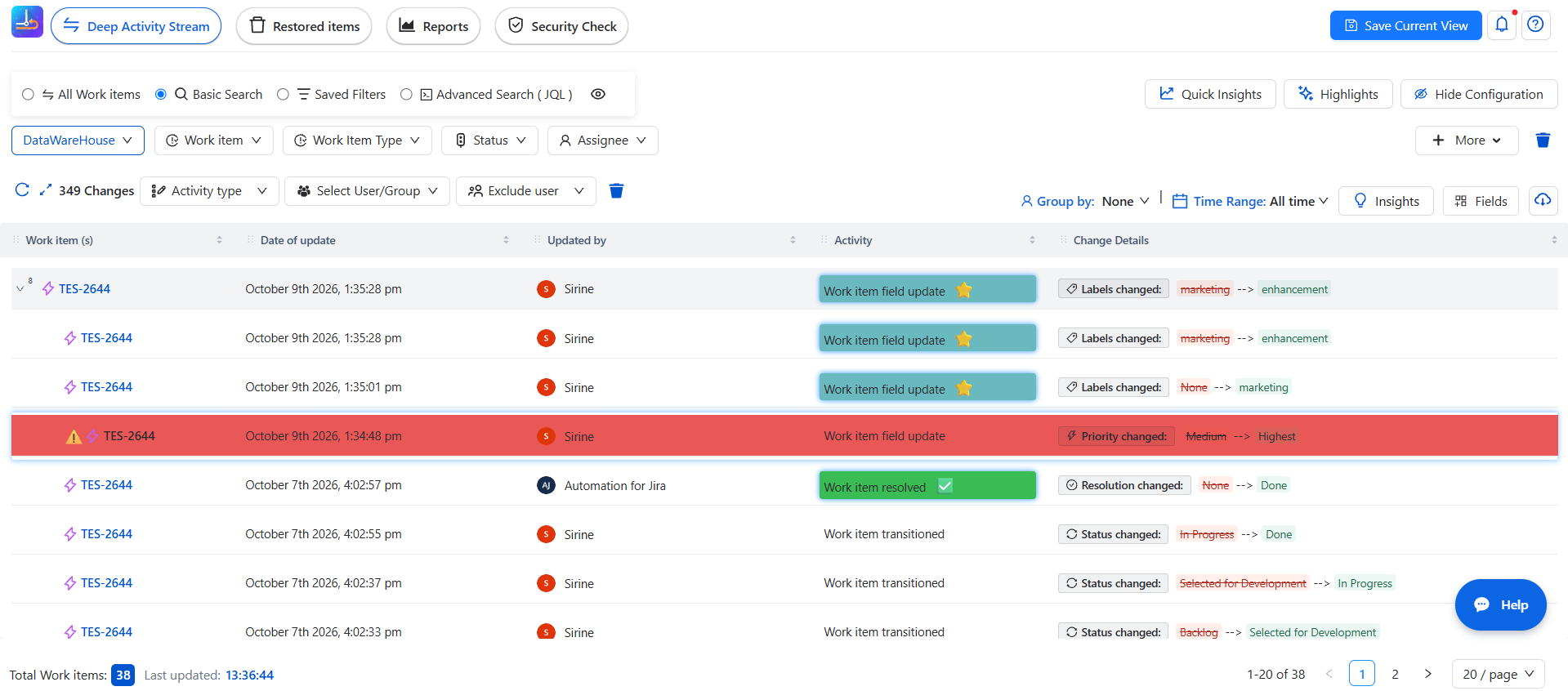
Work Item Audit & Change History for Jira is your all-in-one solution for tracking Jira Work-item change history. It gives you clear, readable, and complete insights into every field change, comment, transition, and update made on Work-items — even the smallest ones.
-
Whether you're a project manager, tester, auditor, or developer, Work Item Audit & Change History for Jira empowers you with full transparency and traceability across your Jira projects.
🌟 Key Features
🧠 Smart Activity Log
-
See who changed what, when, and how all in one place.
-
Color-coded highlights to easily spot important changes.
🎯 Advanced Filtering
-
Use Basic Search, JQL, or Saved Filters to find exactly what you need.
-
Filter by users, projects, Work-item types, fields, and more.
📊 Quick Insights
-
Visual summaries of activity: most changed Work-items, frequent updaters, and more.
-
Perfect for retrospectives, QA review, or audit checks.
📊 Reports
-
Large choice of detailed reports
🔦 Highlight Changes
-
Easily spot updates made by a specific user or within a certain time frame and more choice.
Views:
-
💾 Configure filters and layouts once, then save the view for quick access later.
-
🔄 Select View: Instantly switch between your saved views
📁 Export Options
-
Export activity logs to CSV , PDF , PNG for deeper offline analysis or reporting.
🗃️ Restore Items
-
Keep track of deleted Items and restore them when needed.
💡 Tips & Best Practices
-
Use Quick Insight before sprint reviews to check recent changes.
-
Save your favorite JQL filters for fast access every time.
-
Enable Restore Items if your team frequently edits/deletes key data.
💡 Why Work Item Audit & Change History for Jira?
Work Item Audit & Change History for Jira goes beyond the native Jira history tab. It gives context, clarity, and control over Work-item changes turning raw logs into actionable insights.
Need help?
🤝 We're here for you! If you have any questions, suggestions, or feature requests, feel free to reach out — we typically respond within 4 hours.